14-day free trial · No card required
The battle table for Game Masters.
Built for 5E and 5.5E. Maps, tokens and initiative on one live screen, plus attack rolls, damage, saves, spells, monster turns and area effects worked out for you. Your players join free with a single link.
No account. Runs in your browser. About a minute.
Works in any browser. No download. No card required. Players always join free.
The rules run themselves
Attack rolls against AC, cover, conditions, damage, saves, spells, monster turns and area effects. You make the call, Warfront™ does the math.
Players move themselves
One link, any browser, no payment. Players claim a hero, move it, roll from their own sheet and send hits to you.
5E and 5.5E, side by side
Choose SRD 5.1 (2014) or SRD 5.2.1 (2024) for each table. Even the difficulty guide follows your edition.
Your content, your table
Bring your own maps and art. Warfront is a tool, not a content store, with free demo content to try it.
New · Combat automation
Roll the dice. Warfront does the rules.
You call the shots and roll the dice. Attack rolls, conditions, cover, resistances, saves, spells and monster turns are worked out for you, with the reason shown on every roll, so you can keep telling the story. Every rule has a switch and every decision stays yours.
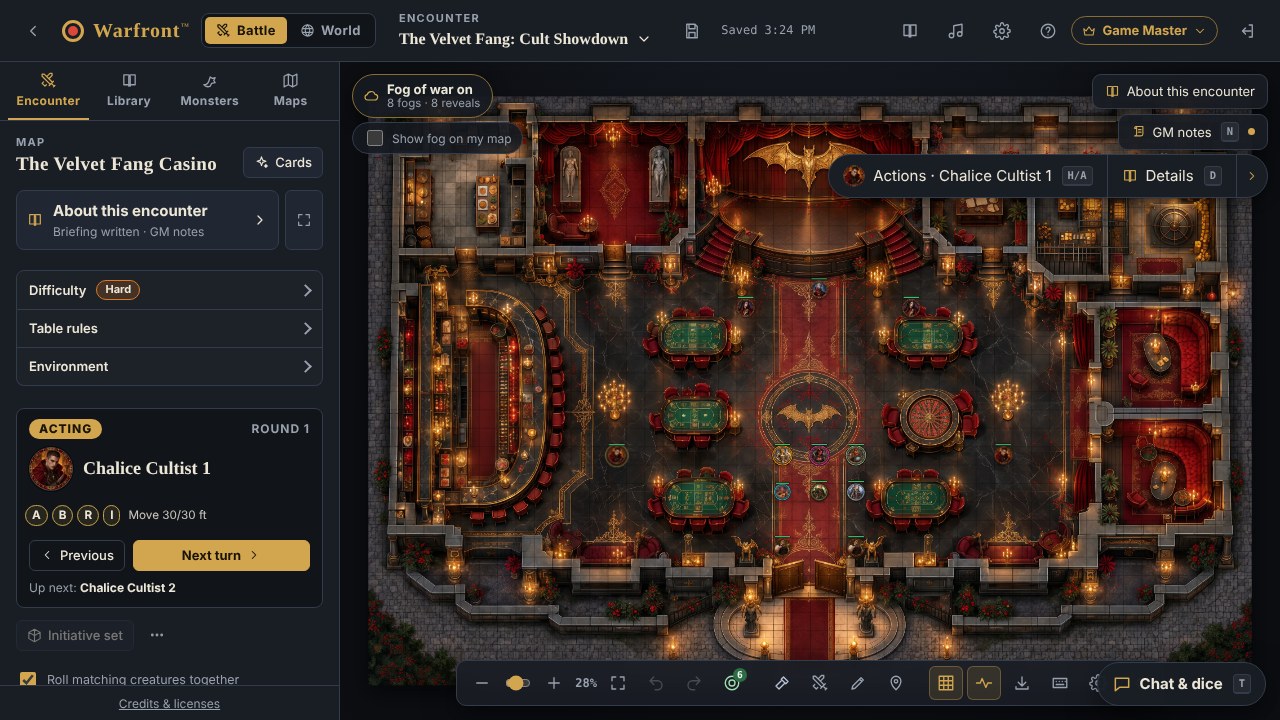
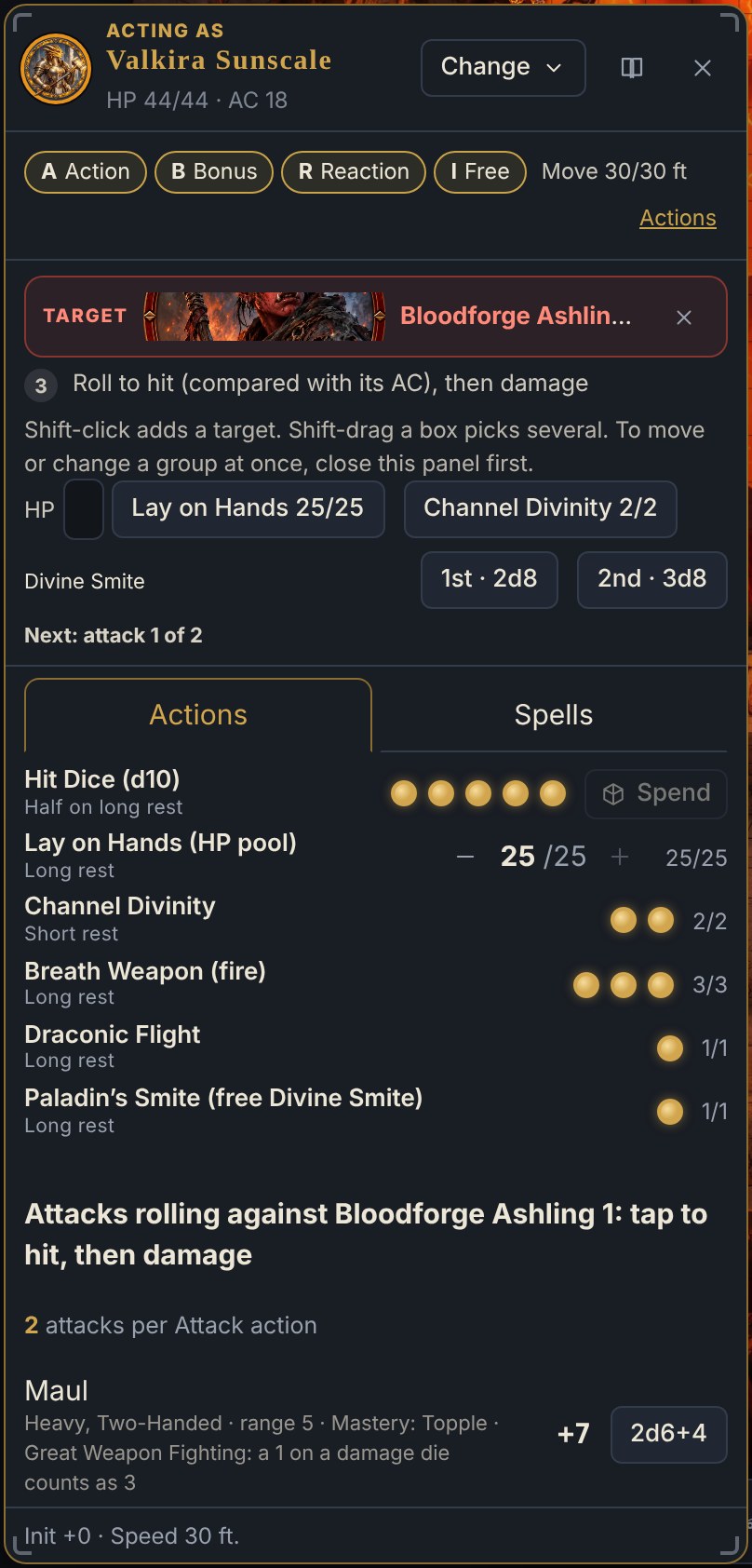
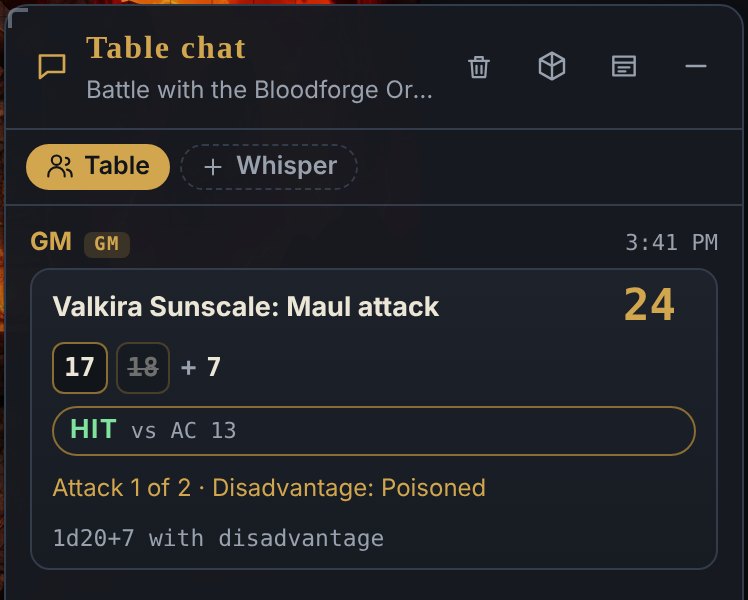
Pick a target. Warfront rolls it right.
Attacks, turns and spells that know the rules.
Roll to hit and Warfront compares the total with AC, applies advantage, disadvantage and cover, and shows the reason on the card. Then it applies the damage, resistances and death saves.
- Conditions, cover and crits worked out and explained on every roll
- Action, movement and opportunity attack tracking, with reaction prompts
- One-press monster turns, including Multiattack, legendary and lair actions
- Spell effects that apply and expire, plus concentration checks
- Every rule has a switch in Combat helpers. You are always the GM.
Drop the shape. Warfront does the saves and the damage.
Fireball, finished in four clicks.
Drop a sphere, cube, cone, line or emanation on the map. Warfront finds everyone inside, rolls their saves, rolls the damage once and applies the right amount to each creature, halved where the save succeeds.
- Set the save, the DC and the damage type, then roll the saves for the whole group
- Or ask players to roll their own saves
- Areas can last for rounds or minutes and can be hidden from players
- Spells in the Hero dock can put their area on the map with one tap
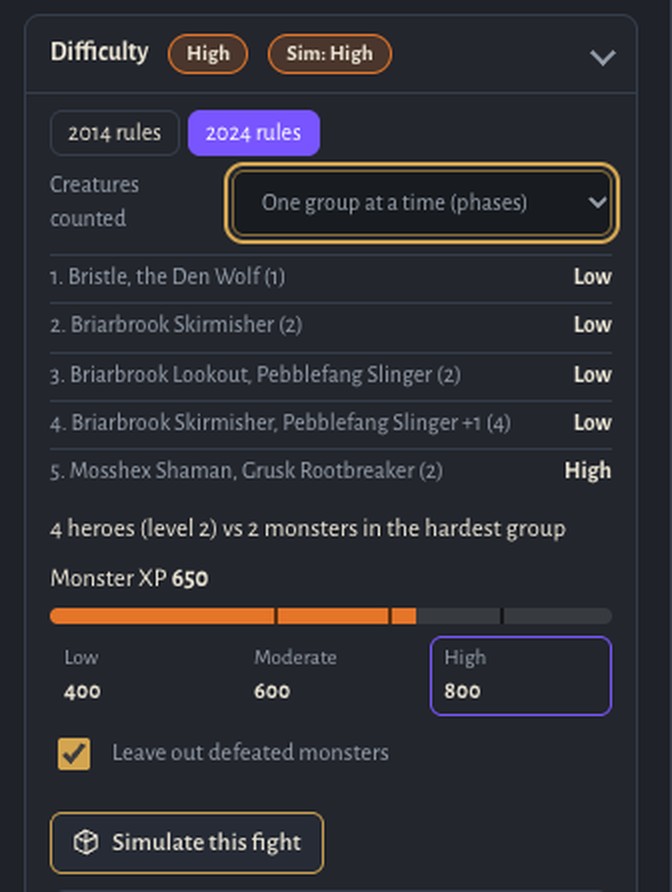
Know before you roll
How hard is this fight, really?
Build an encounter and a difficulty badge appears, rated group by group as your heroes would meet them. See the numbers behind it, switch between the 2014 and 2024 guides and leave out monsters that have already fallen.
- Simulate this fight: Warfront plays the encounter out hundreds of times with your heroes’ sheets, spells and hit points, then tells you how often the party wins and how many rounds it takes
- Choose short or long rests between groups, and whether magic weapons count
- Only the Game Master sees it, never your players
- A guide, not a promise: terrain, tactics and clever play still change the fight
Built for the way your table really plays.
Hero dock
Players open their Actions and Spells without leaving the map. Roll from the dock, and a hit lands on the GM as a card with Amount, Adjust and Apply.
Send to GM
A player rolls the damage and sends it to you in one tap. You adjust it, apply it and the table sees the result.
Chronicle for every hero
Mark a moment while you play and each hero builds a story of its own, with a Fallen heroes shelf and a share card. Warlord drafts the moments for you.
Spotlight Mode
Portrait tiles light up for whoever is speaking. Opt in per person. Nothing is recorded and no audio ever leaves the browser.
Linked maps
Click a region on the world map and open its battle map. Zoom from the continent to the crossroads without hunting through files.
Dynamic lighting
Walls, doors and lights decide what each hero can see. Fog opens as they explore and remembers where they have been.
Table clock and moon
Track the date, the time of day and the phase of the moon, with clocks for countdowns that the whole table can watch.
Why Game Masters switch
A battle table that is also a rules engine.
Players control themselves
No screen sharing. Every player moves their own hero on their own device while you keep the secrets.
Built in, not bolted on
Initiative, health, conditions, saves, areas and fog share one screen, so there are no add-ons to install and no spreadsheets to keep in sync.
No content to buy
We sell the tool, not a campaign. Use your own maps and art, or load the free demo content to see how everything fits.
New · Map builder
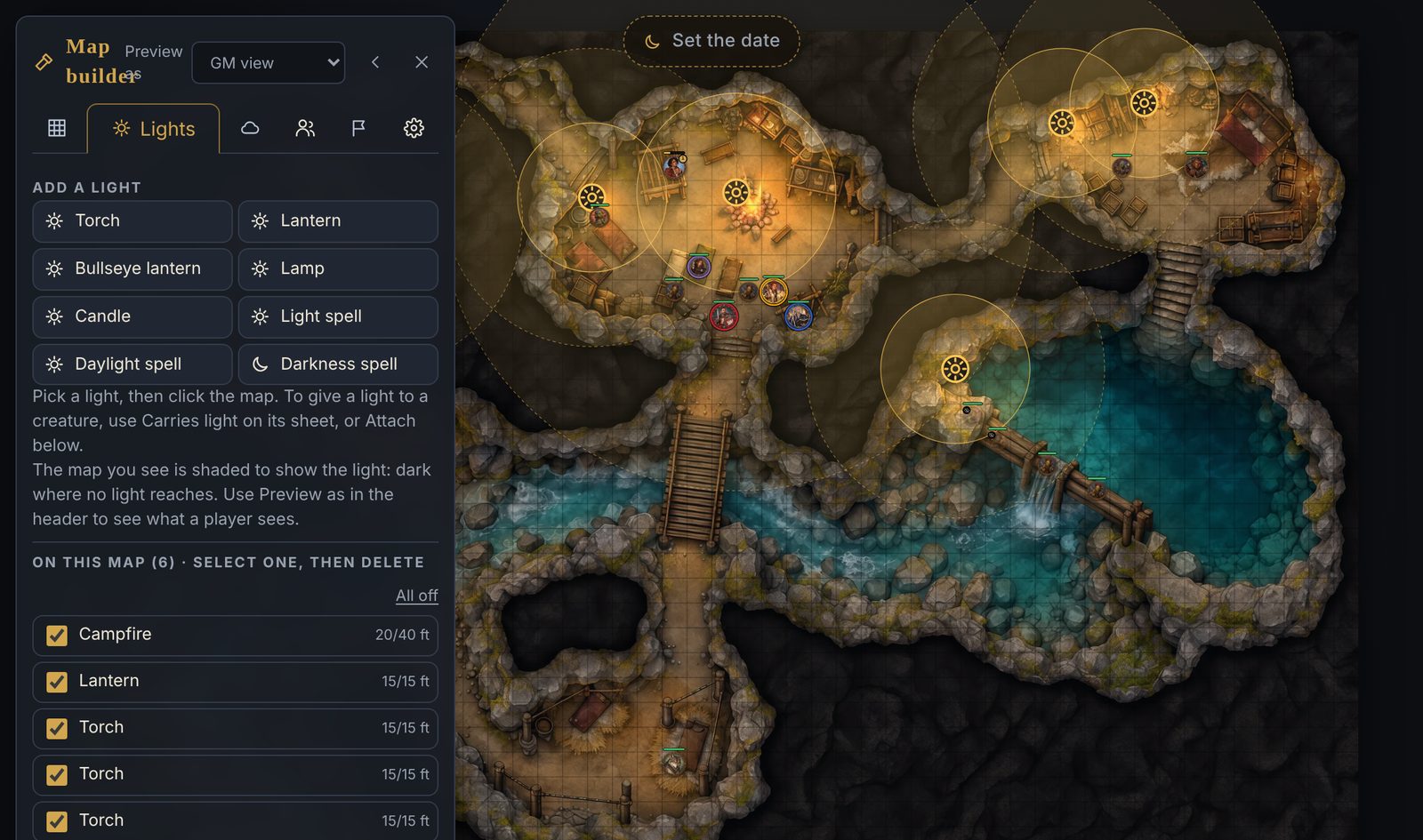
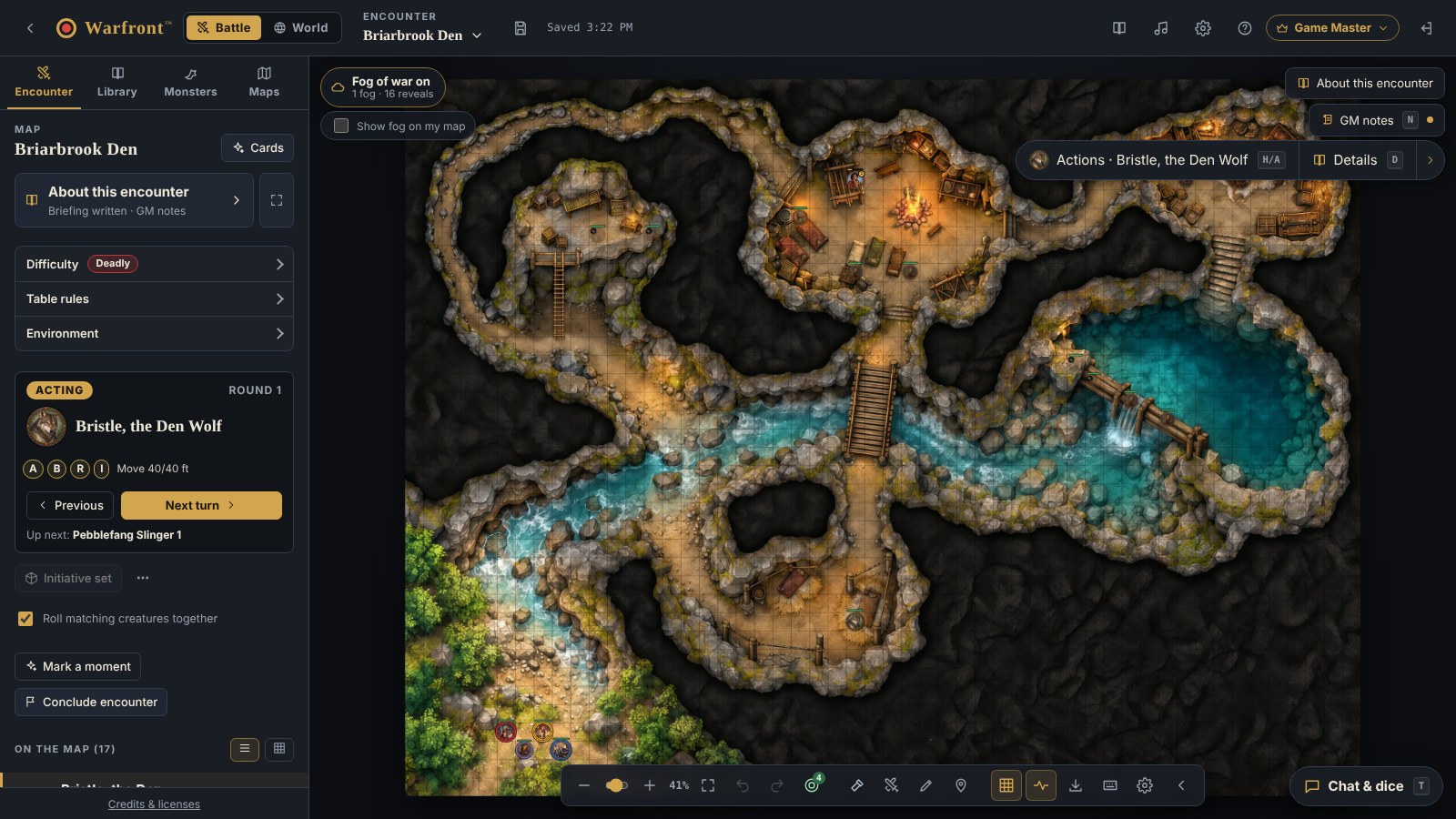
Draw the walls. Light the room. Fog of war runs itself.
Build walls, doors and lights right on the map and the table does the rest. Players only see what their eyes and their torches reach, and everything they have explored stays on the map.
- Walls, doors, secret doors and windows, drawn right on the map. Doors open, close and lock with a click, and walls stop token movement
- Torch, lantern, bullseye lantern, candle, Light, Daylight and Darkness. Give a creature its own light and it follows the hero
- Dynamic fog of war: the party shares sight, darkvision, blindsight and Blinded are read from the token, and explored places stay remembered
- Your walls are never sent to a player’s browser, so nothing can be peeked at. Preview as any player to check what they see
- Our demo maps already come with walls and lights, so you can try it with one click. On Warlord, import Universal VTT maps and bring their walls, doors and lights with them
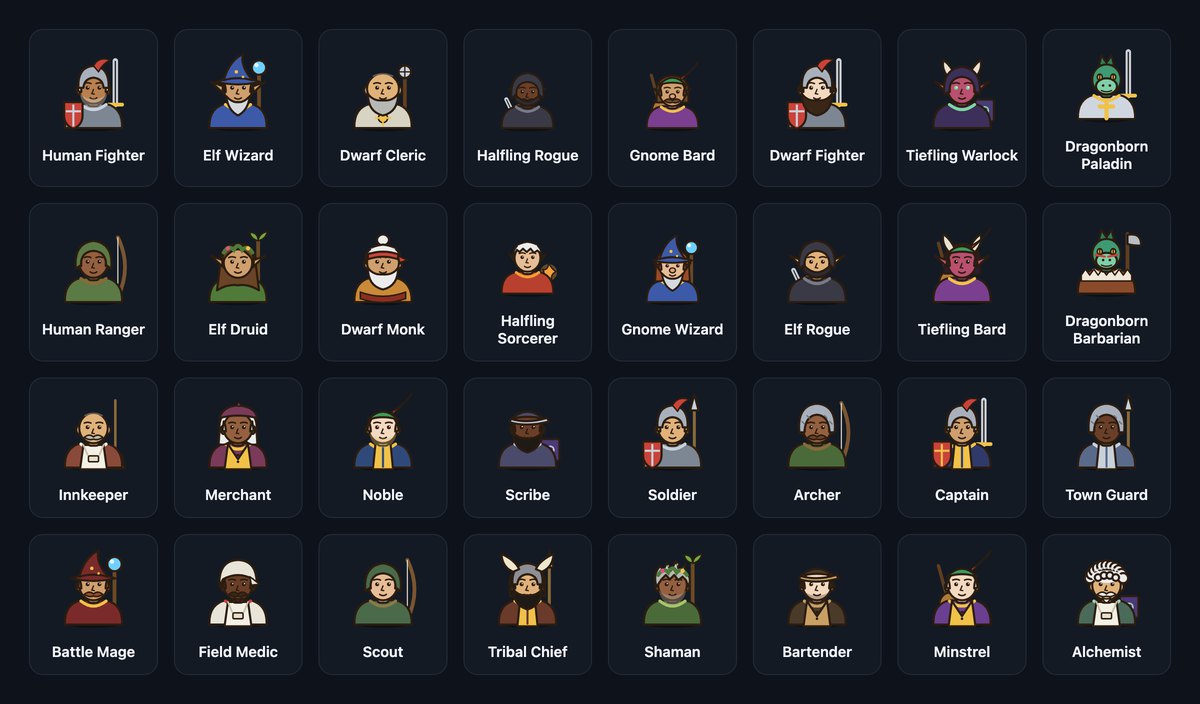
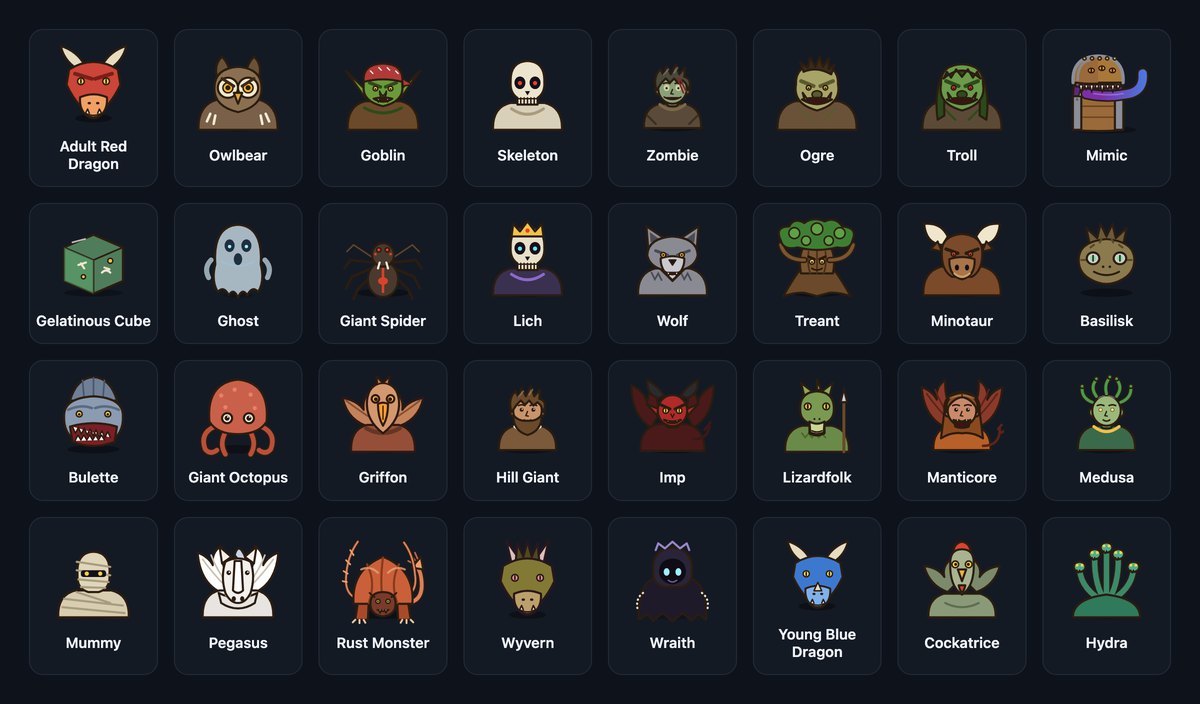
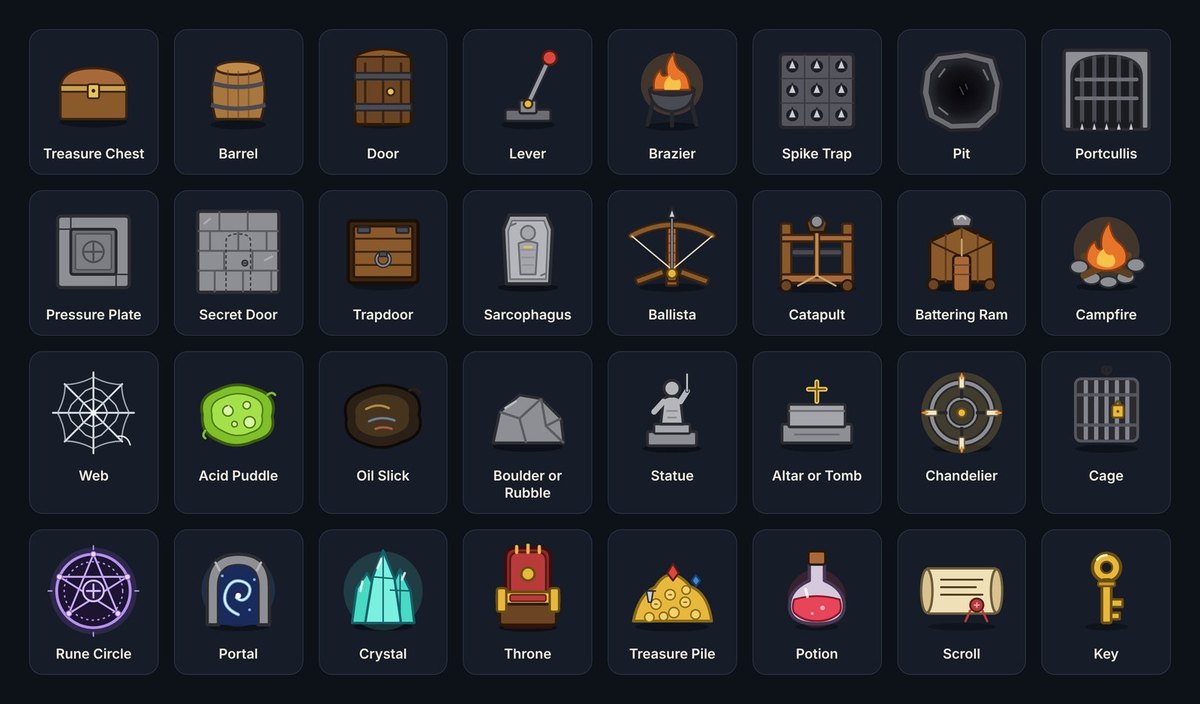
Tokens and a map-making kit, out of the box
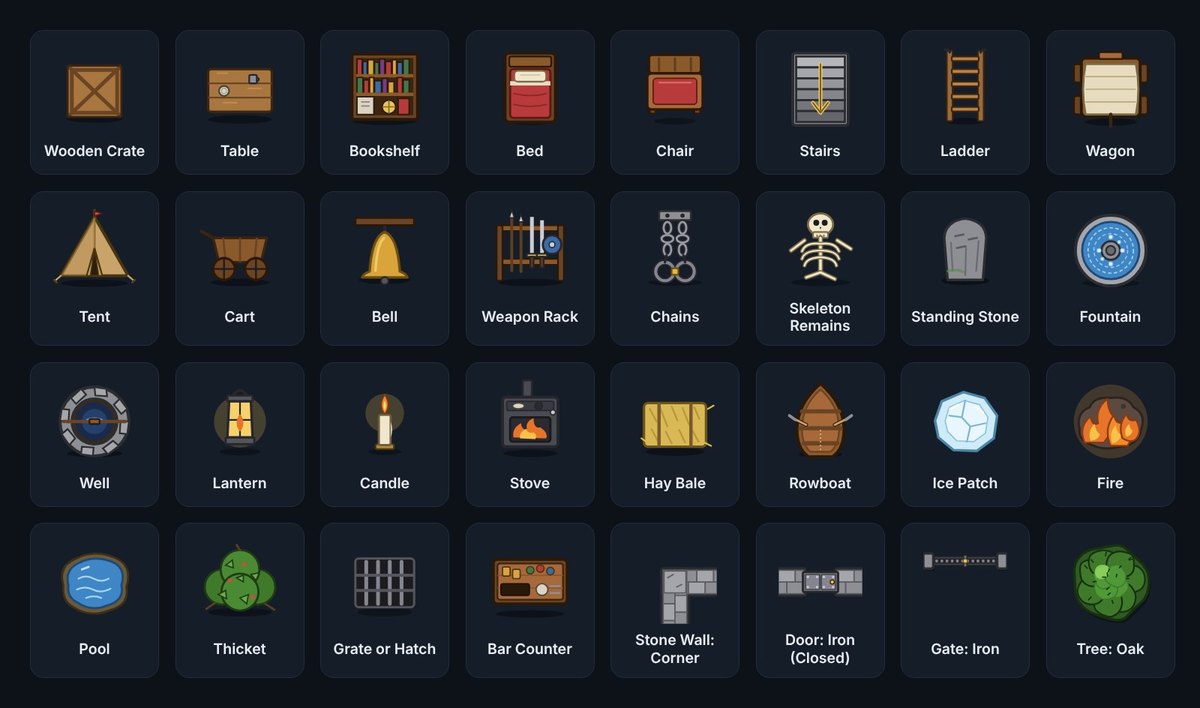
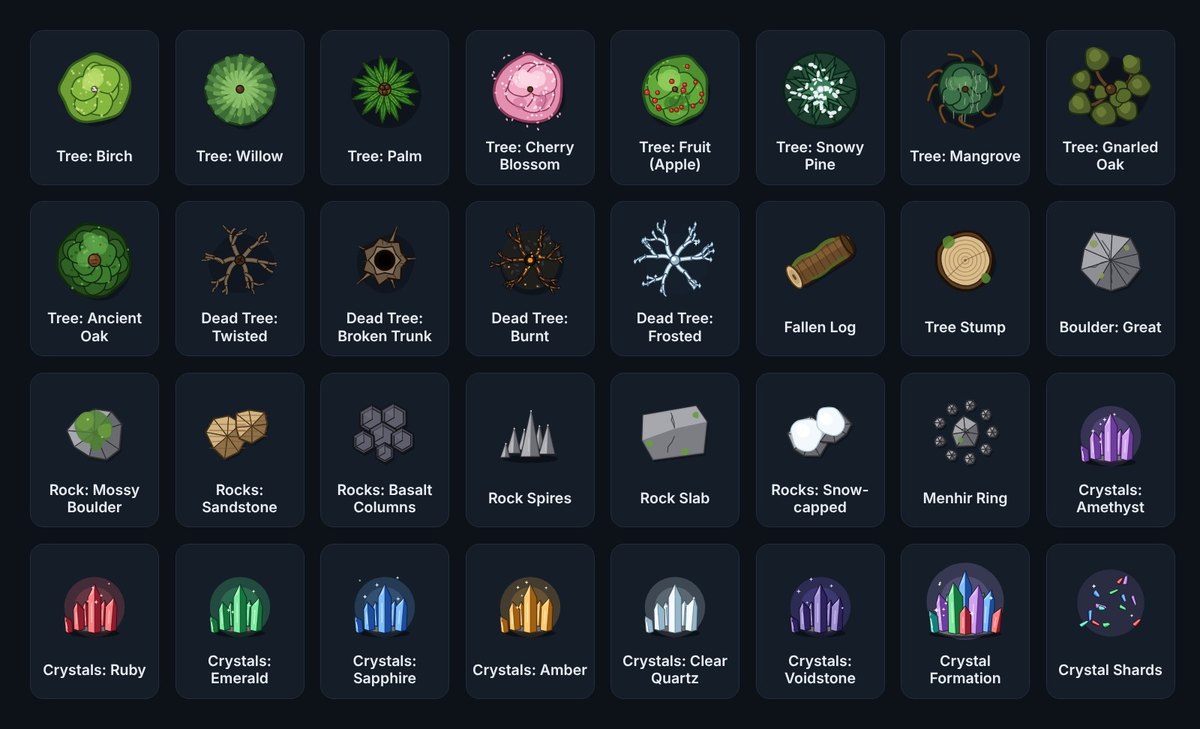
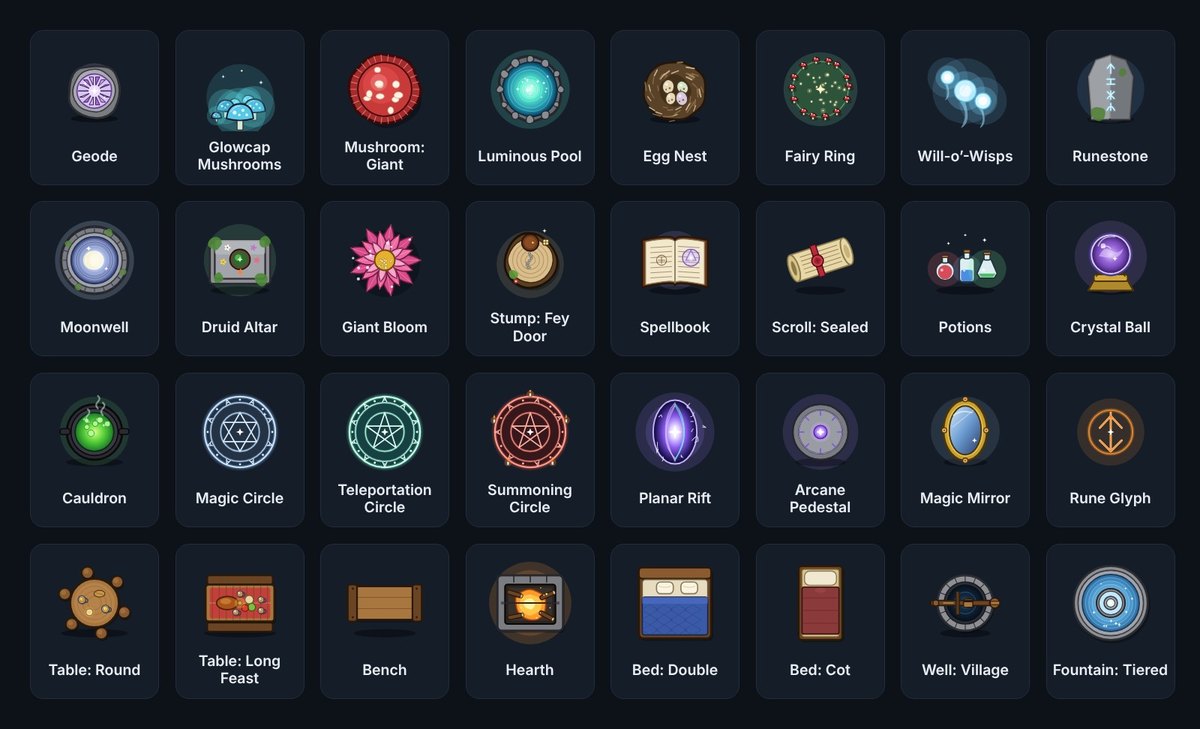
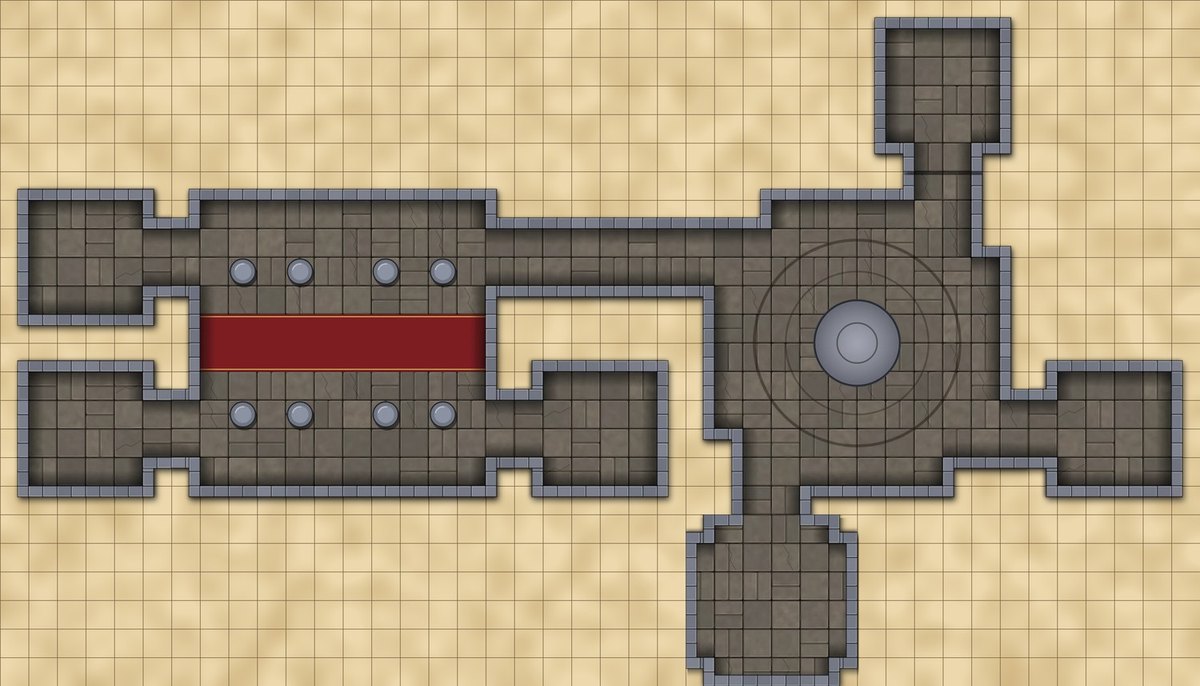
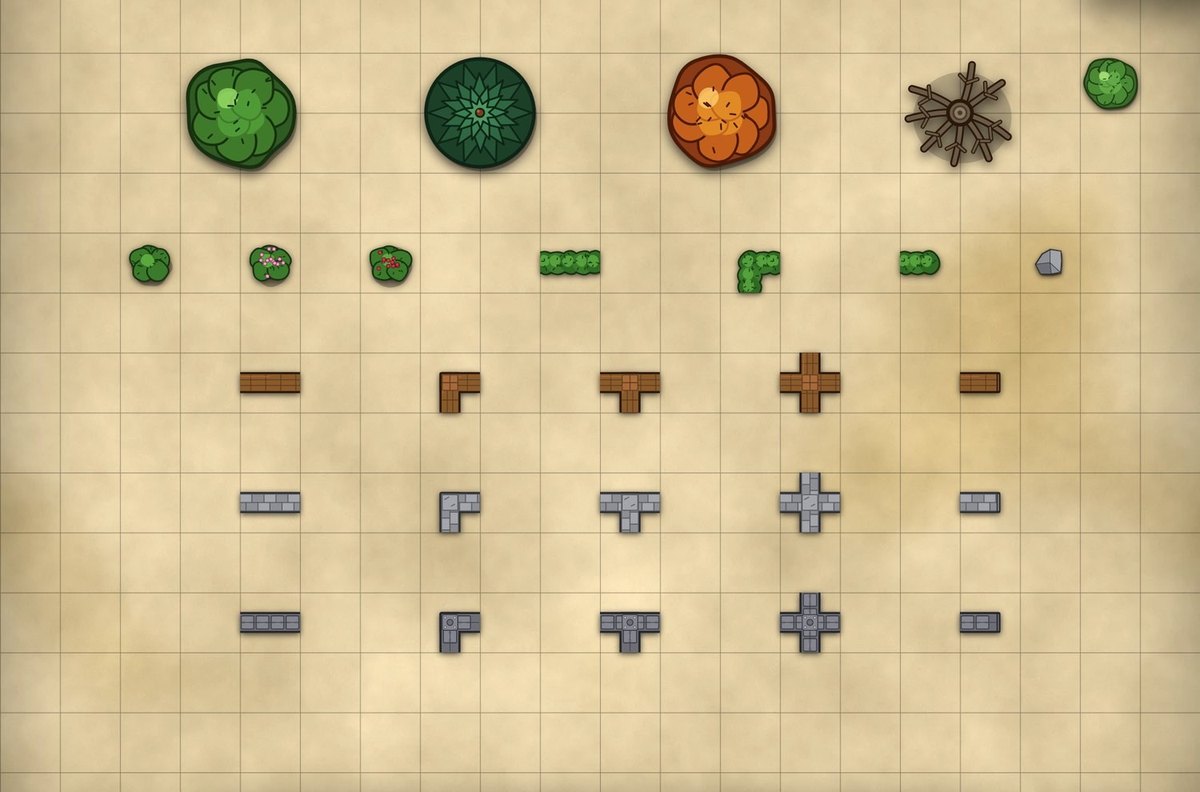
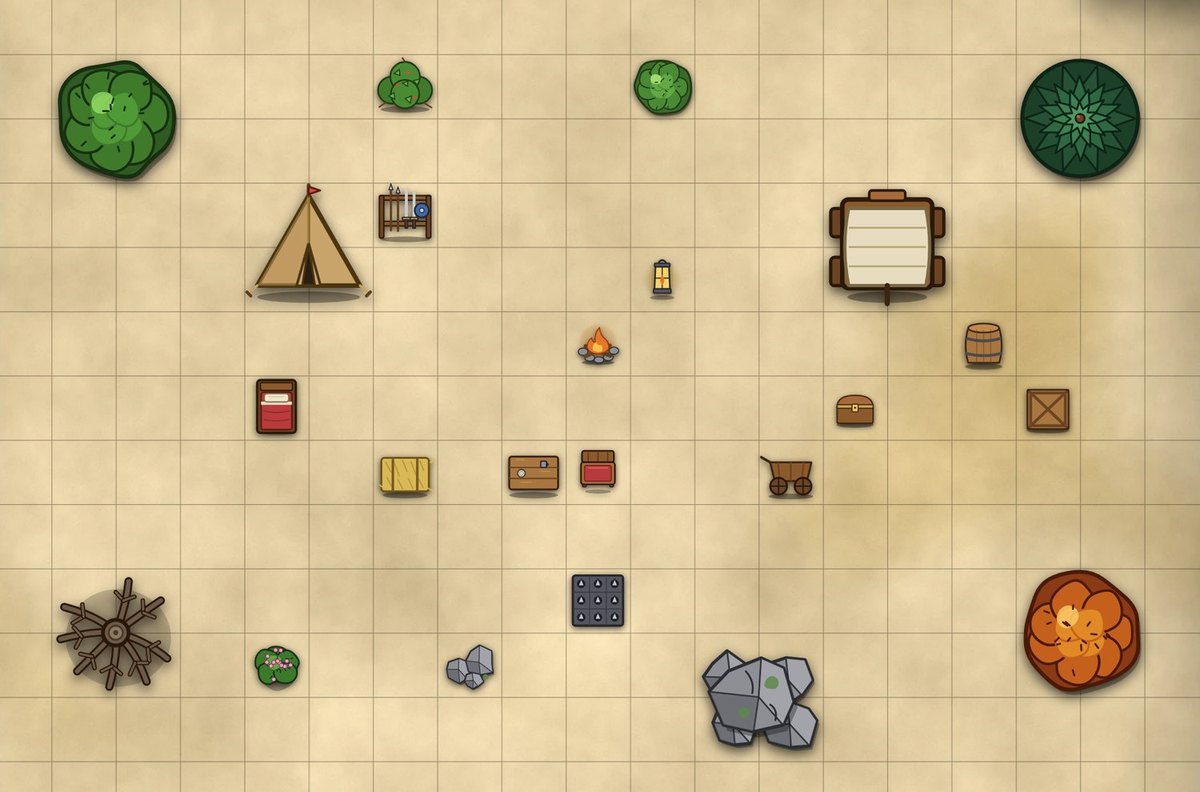
Art for every hero, NPC and monster, plus 188 objects and 307 dungeon tiles.
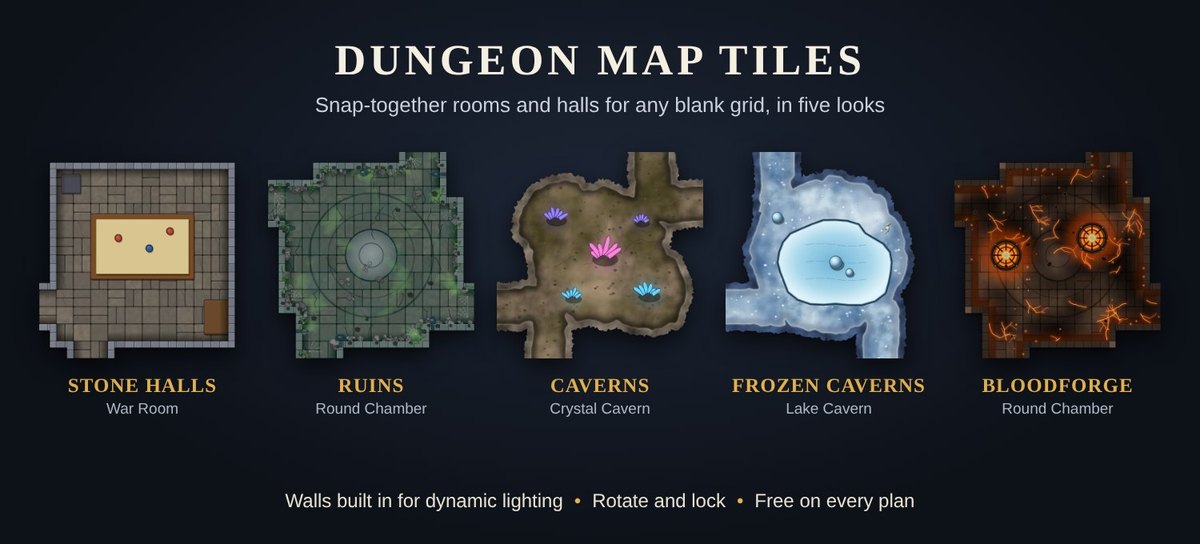
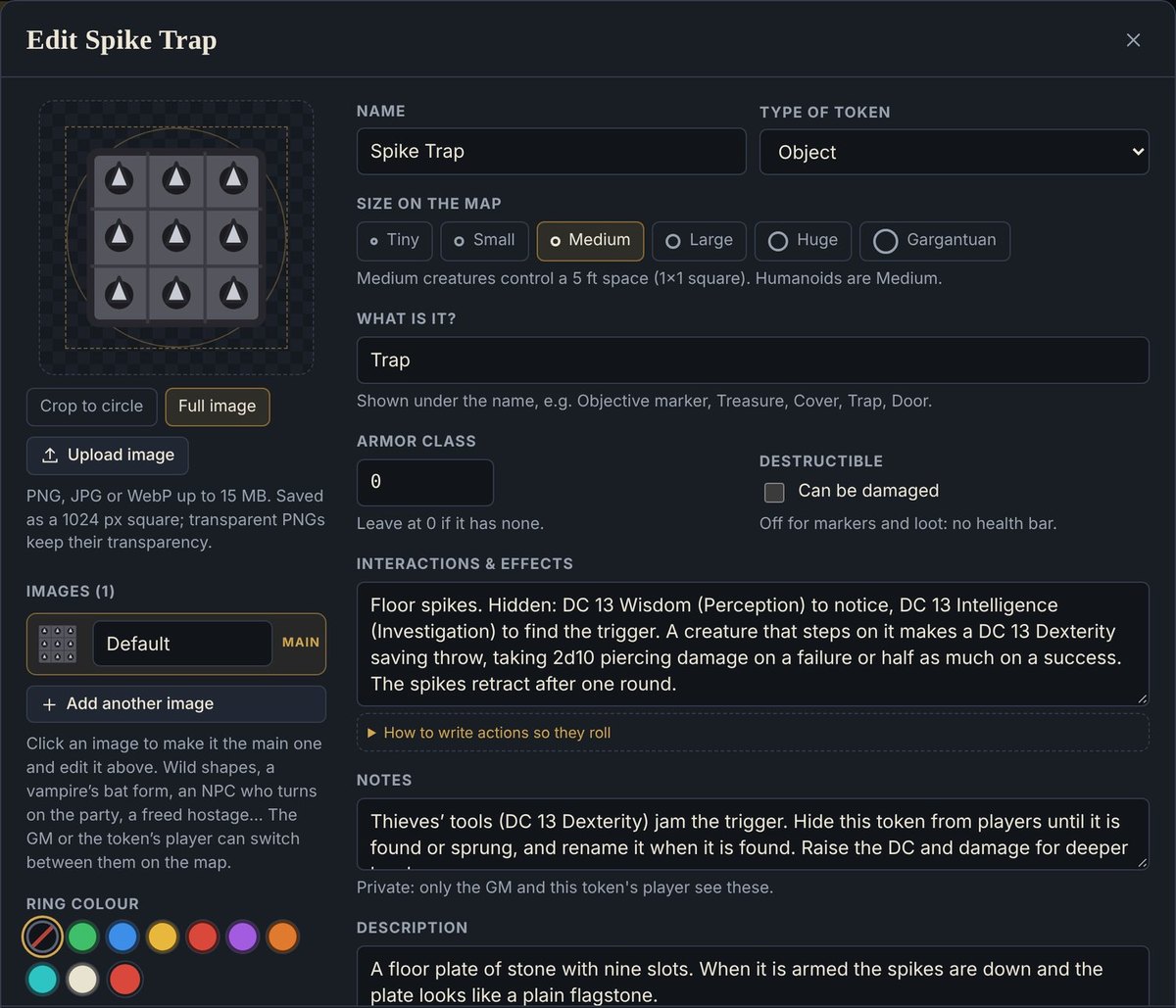
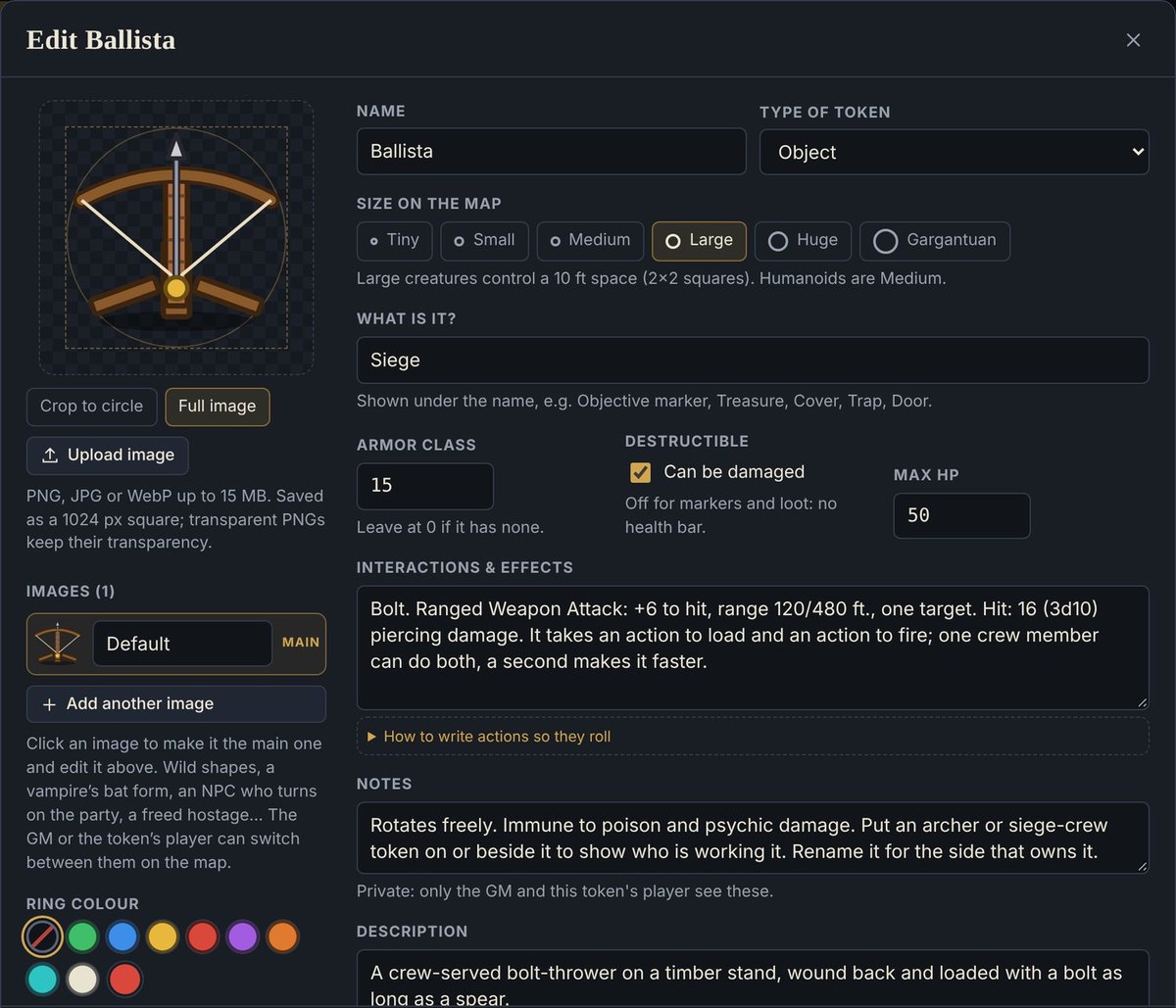
Warfront draws its own token art in one consistent style: 96 ready-made heroes (eight species, twelve classes), 87 NPCs, and a token for every monster in the SRD. Every new table also starts stocked with 110 things a map needs that are not creatures: wall pieces, doors and gates, trees and rocks, cover, traps, siege weapons, hazards, light sources, loot and set dressing. A free second set adds 78 more, from palms and willows to crystals, magic circles and tavern furniture. For whole dungeons, 307 modular map tiles in five themes snap together on a blank grid, with the walls built in for dynamic lighting.
- The whole cast, drawn in Warfront style: 96 starter heroes, 87 NPCs, and every SRD monster in both bestiaries (334 in SRD 5.1, 341 in SRD 5.2.1)
- Build a room or a forest in minutes: wall corners and junctions in wood, stone and metal, doors, gates, trees, bushes and hedges
- Snap together rooms, halls and grand chambers from modular tiles, then switch the whole dungeon to another theme
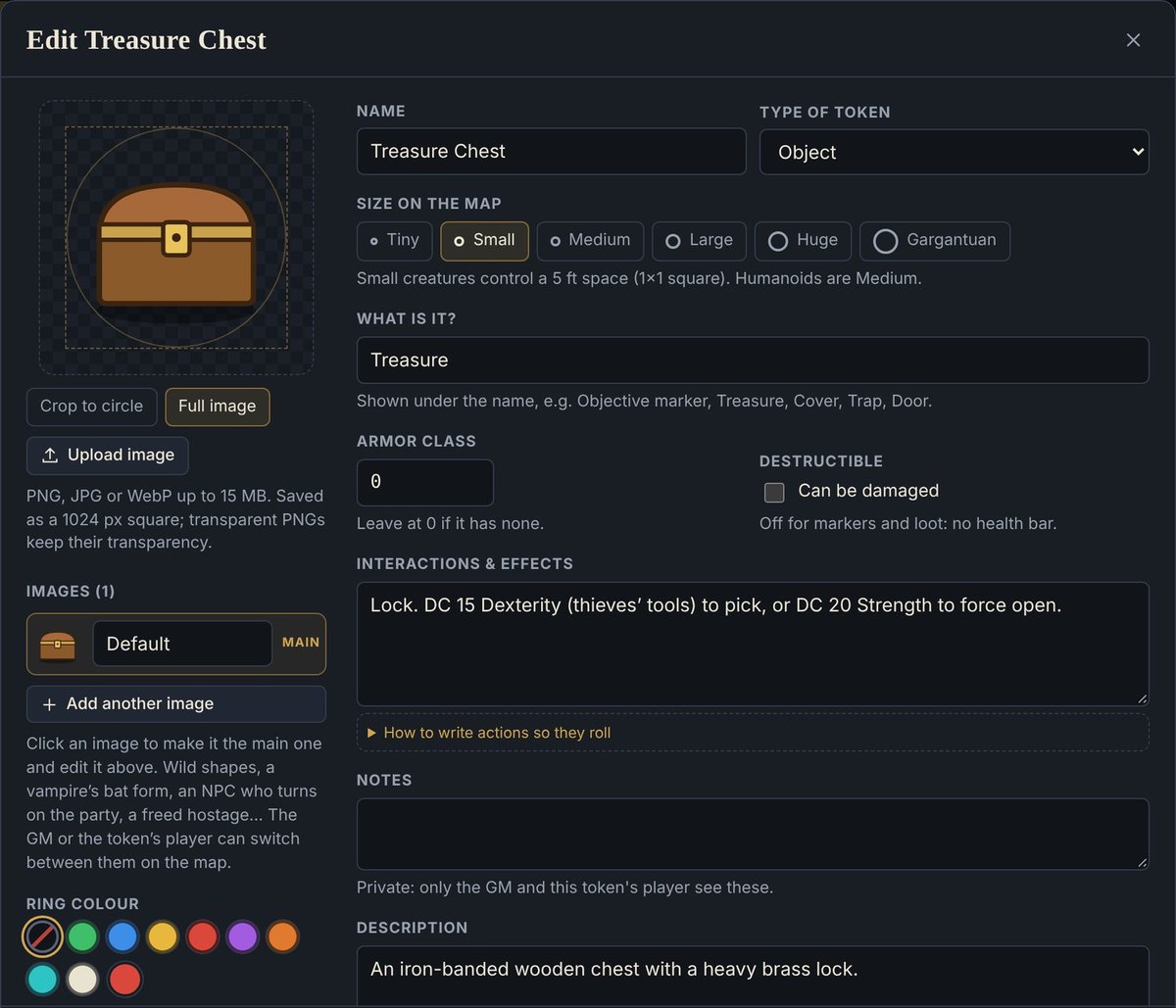
- Ready-made AC, hit points and actions on the 110 starter objects, from trap saves and lock DCs to ballista attacks
- Edit or replace any of them, and add your own
Feature tour · 10 minutes
See what Warfront can do.
A tour from the first roll to the last: running the fight, making it cinematic, prep in minutes, your heroes’ art, secrets and surprises, and keeping the story.
Jump to a moment
Built for combat
And everything else you need to run the fight.
Maps, fog, tokens, initiative and dice, in one place. The basics are fast, and the rules above run on top of them.
New · Dungeon Map Tiles
The dungeon kit other tools sell, included in every plan.
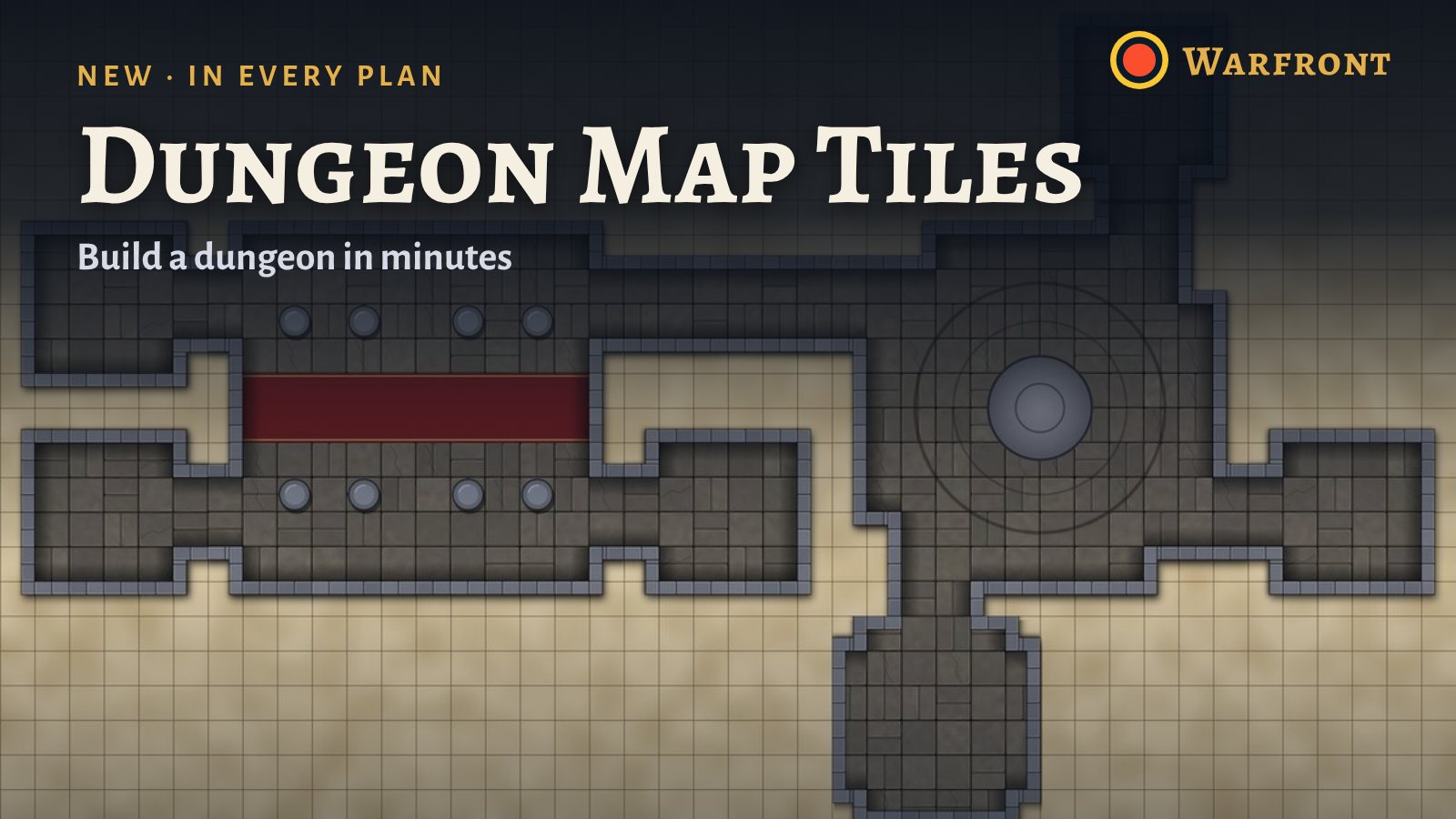
Warfront does what the big tools do, for a fraction of the price. Snap rooms, halls and grand chambers together on a blank grid, and the walls come with them. 307 modular tiles in five themes, from 2-wide corridors to 24-by-24 great halls, are free to load into any table.
- Stone Halls, Ruins, Caverns, Frozen Caverns and Bloodforge, with 116 room and hall layouts
- Walls are built in, so dynamic lighting, vision and fog follow the tile
- Rotate, lock and snap tiles together, then change the theme of a whole dungeon in one step
Build with the tiles in your browser. No account.
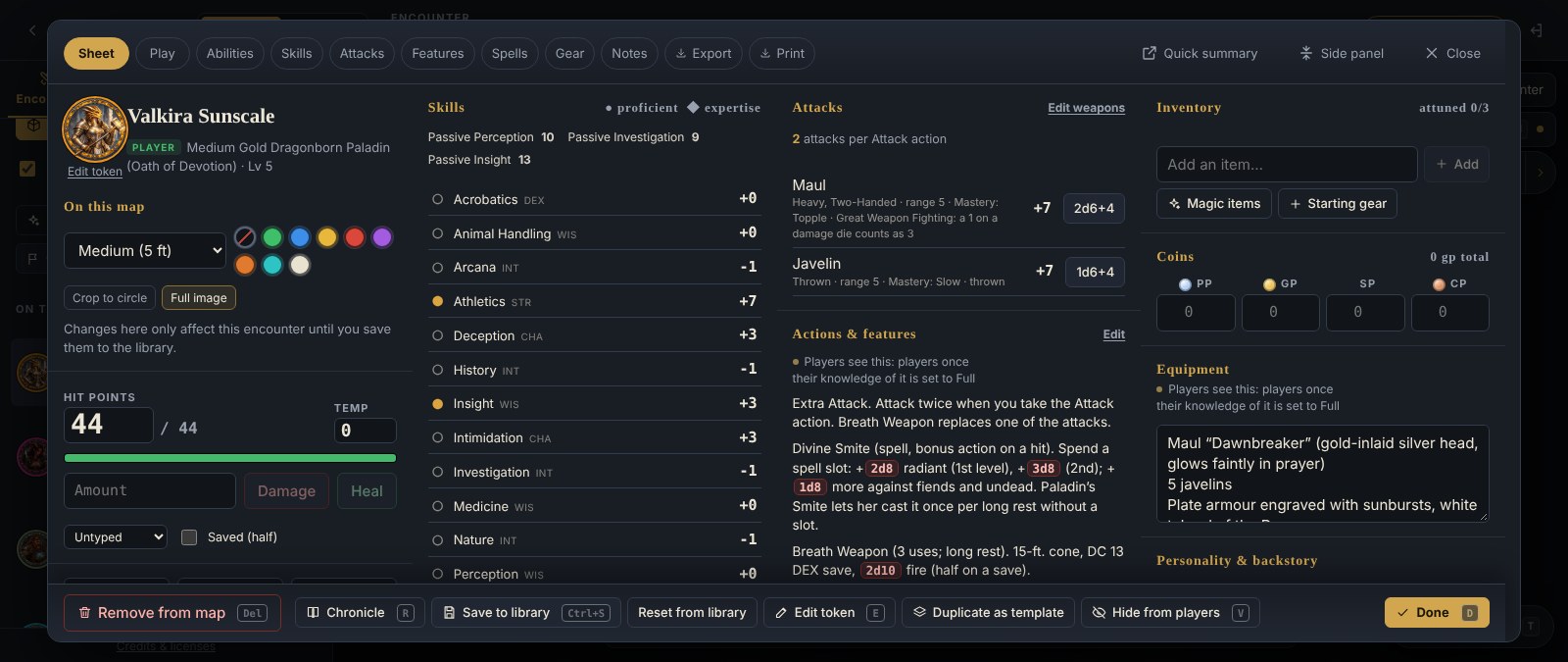
Track every hit without scratch paper.
Open any token for quick damage and healing, temp hit points, saves and attacks. Roll from the sheet and the result lands in the table chat. Changes stay on the map, not in your library.
- One-tap damage and healing, with temp HP soaking damage first
- Skills, spells, inventory and notes on a full-screen sheet
- Health bars on every token, visible at a glance
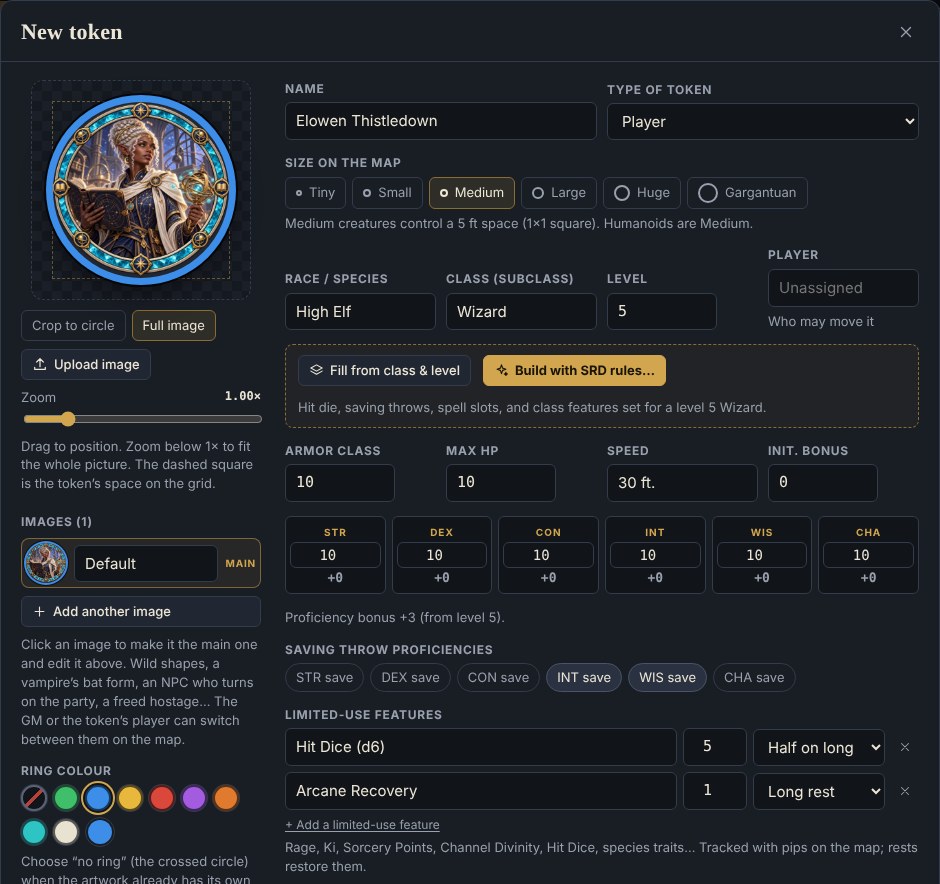
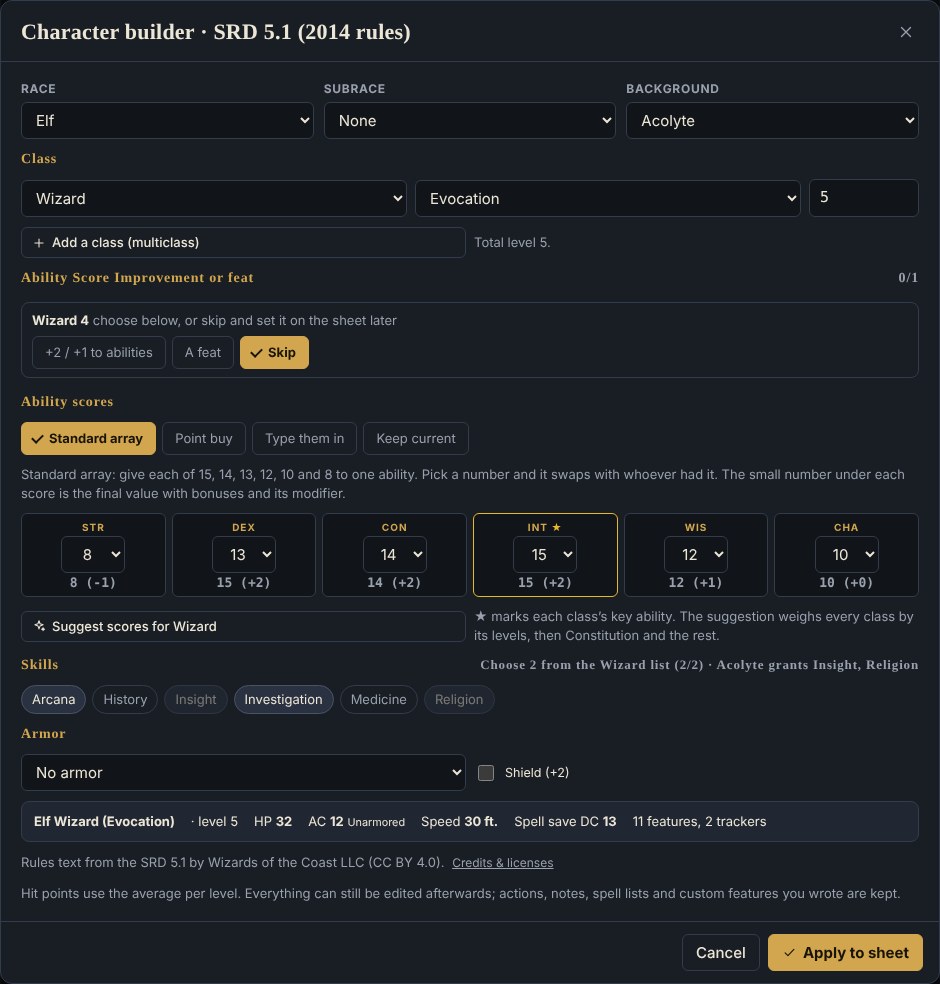
Make tokens your way.
Upload any picture as a hero or monster token, crop it to a circle and pick a ring color and size. Build a legal SRD character in a few clicks, then save it to your library and drop it into any encounter.
- Custom avatars for heroes, NPCs and monsters
- SRD character builder fills in HP, saves, slots and features
- Your tokens are saved to your library for every table
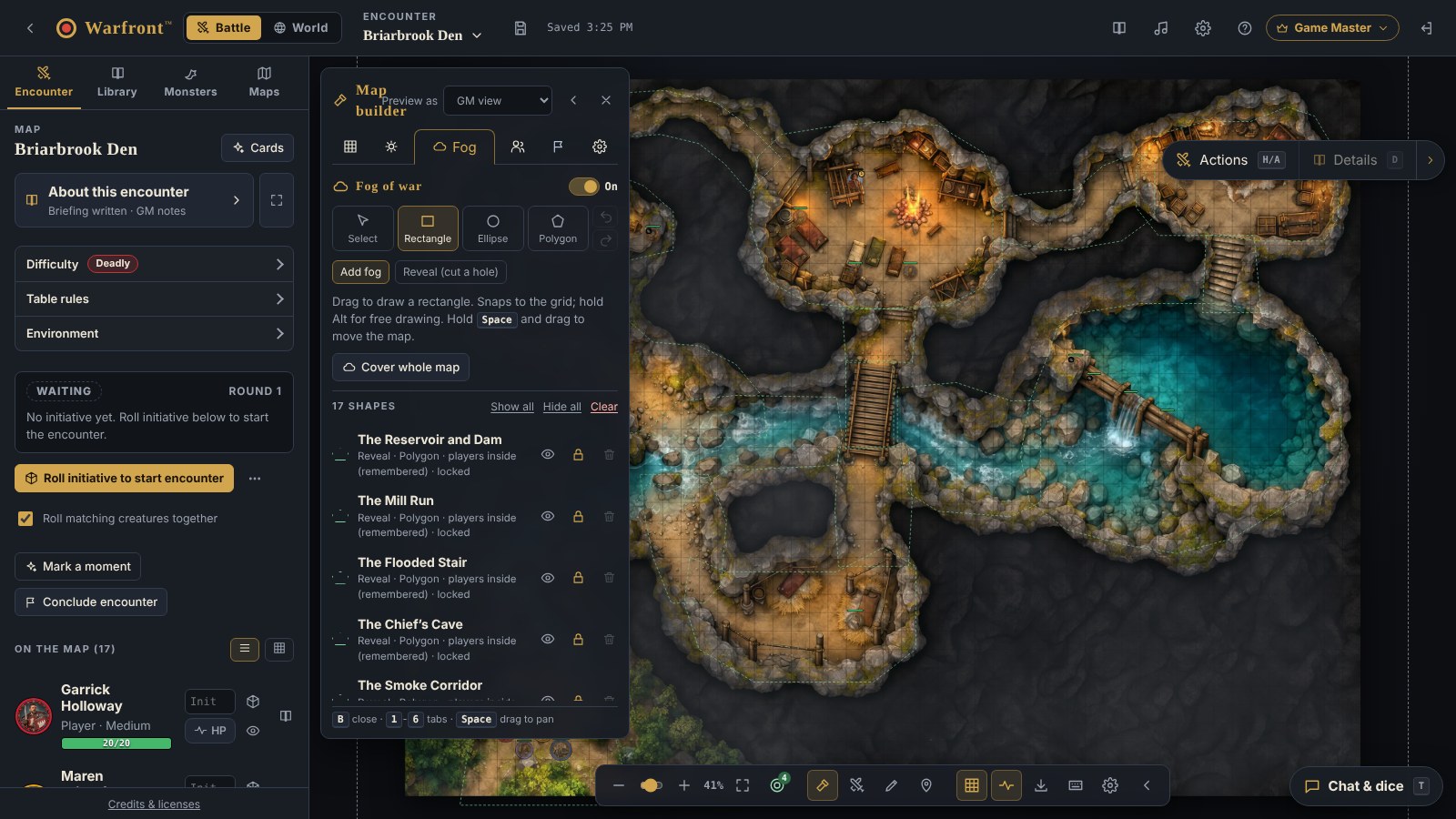
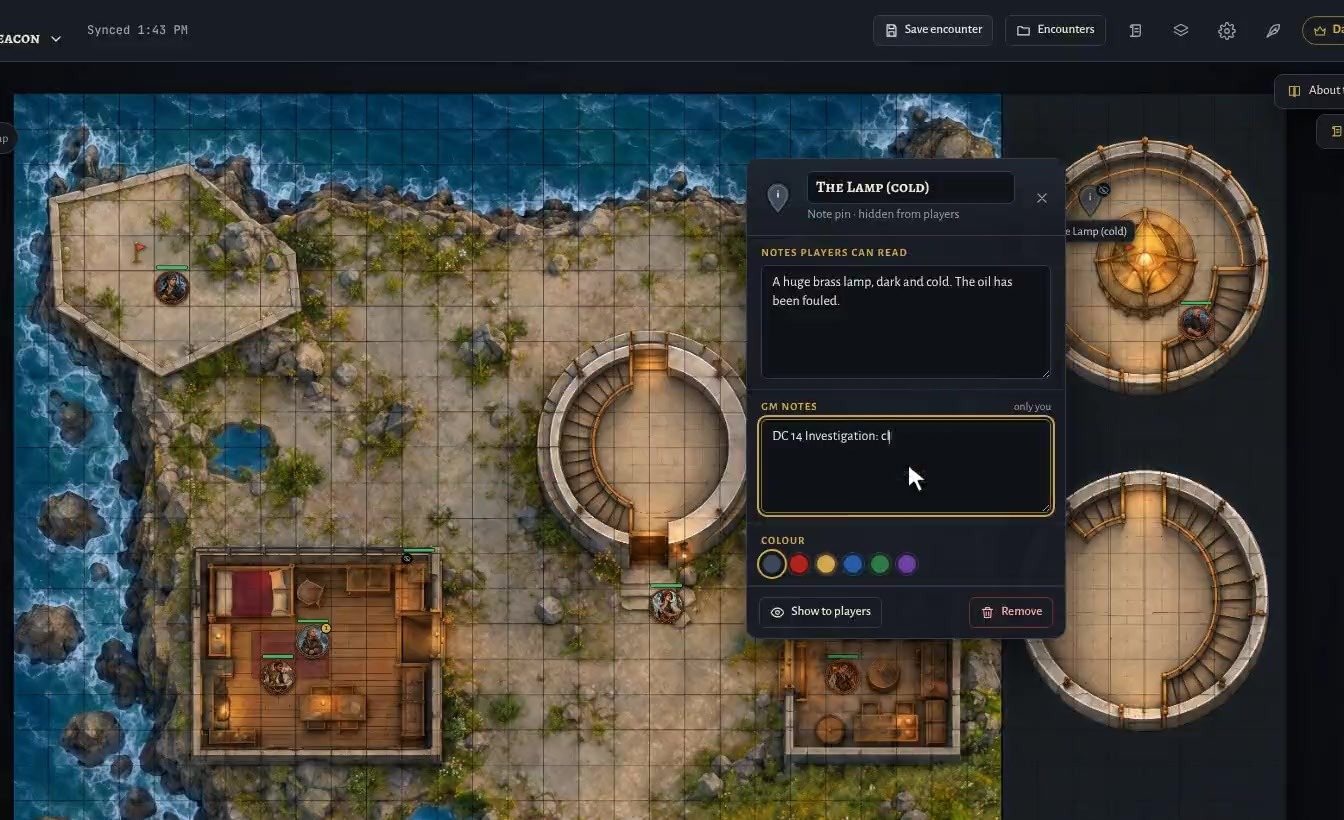
Fog of war, and secrets that stay secret.
Draw fog and preview exactly what each player sees. Drop hidden pins, write what players can read next to what only you can see, and reveal it when the party finds it.
- Players only ever see the rooms they have explored
- Pins and drawings stay hidden until you show them
- GM notes are never sent to players
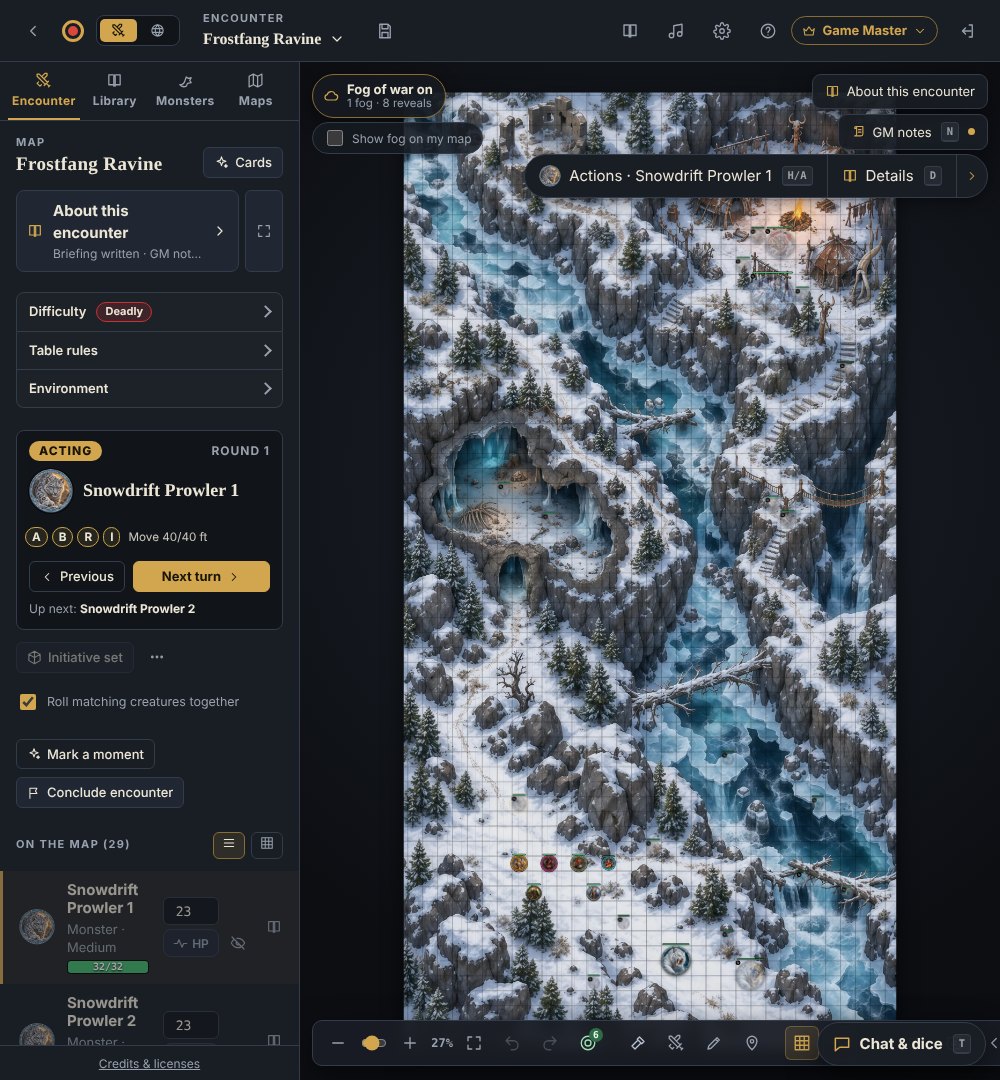
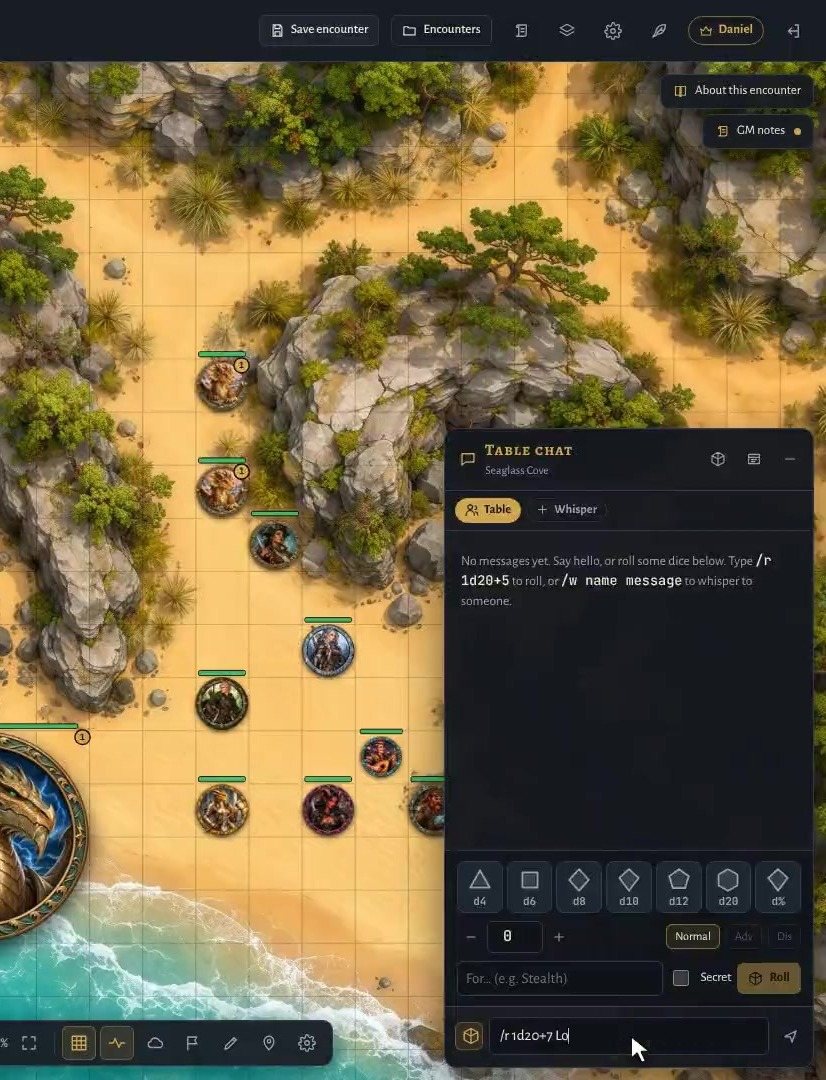
Initiative, dice and chat built in.
Roll for every monster in one click, then step through the turn order with the active creature highlighted on the map. Roll d20s and modifiers in a shared table chat, with whispers and secret GM rolls.
- Rounds and turns tracked for you
- Type /r 1d20+7 or tap the dice tray
- Dice animation is a per-player setting: full, quick or off
And the details that save you prep time.
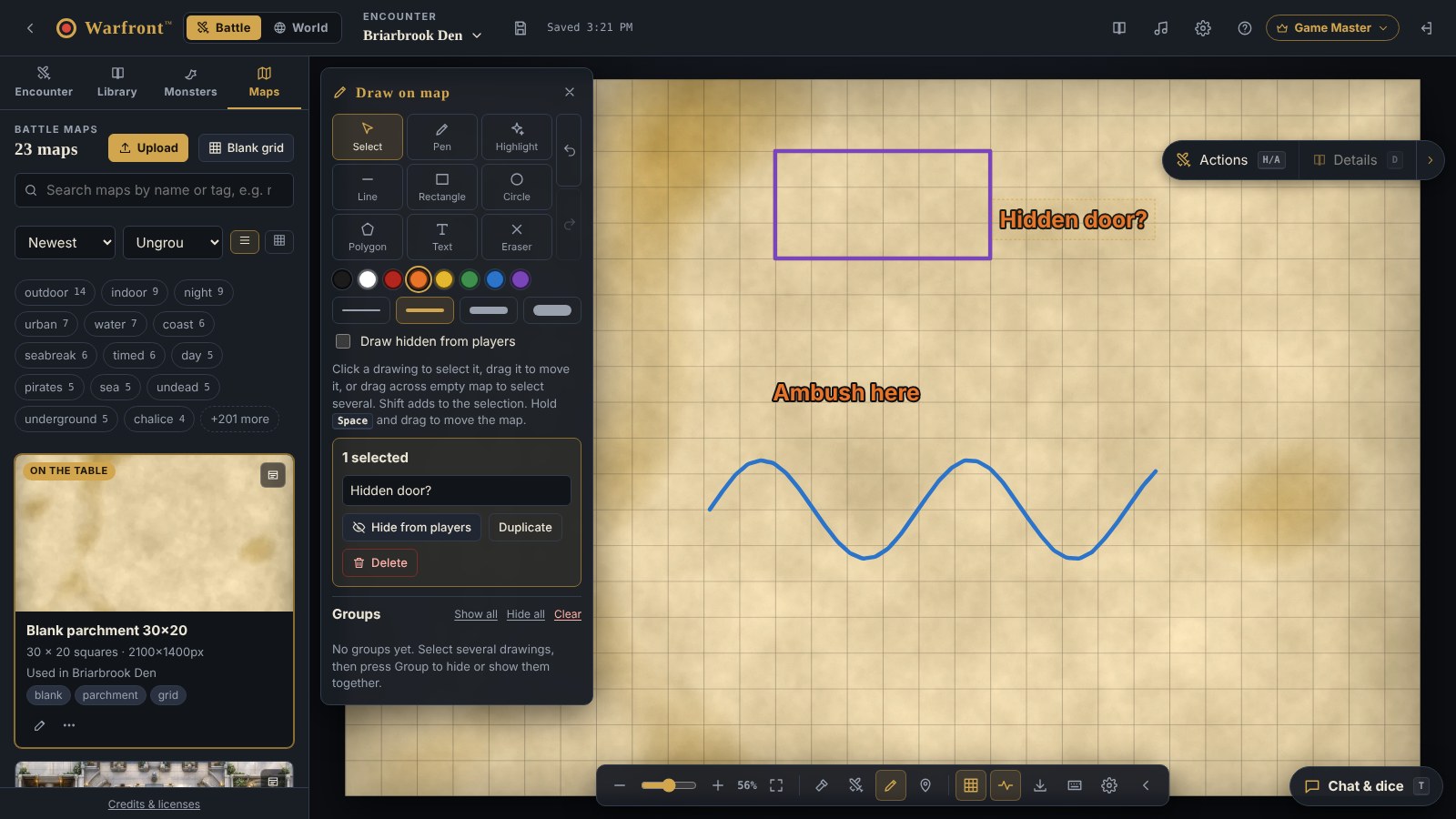
No map? Sketch one.
Start on a blank parchment grid. Draw walls, shapes and text, then hide drawings until the party finds them.
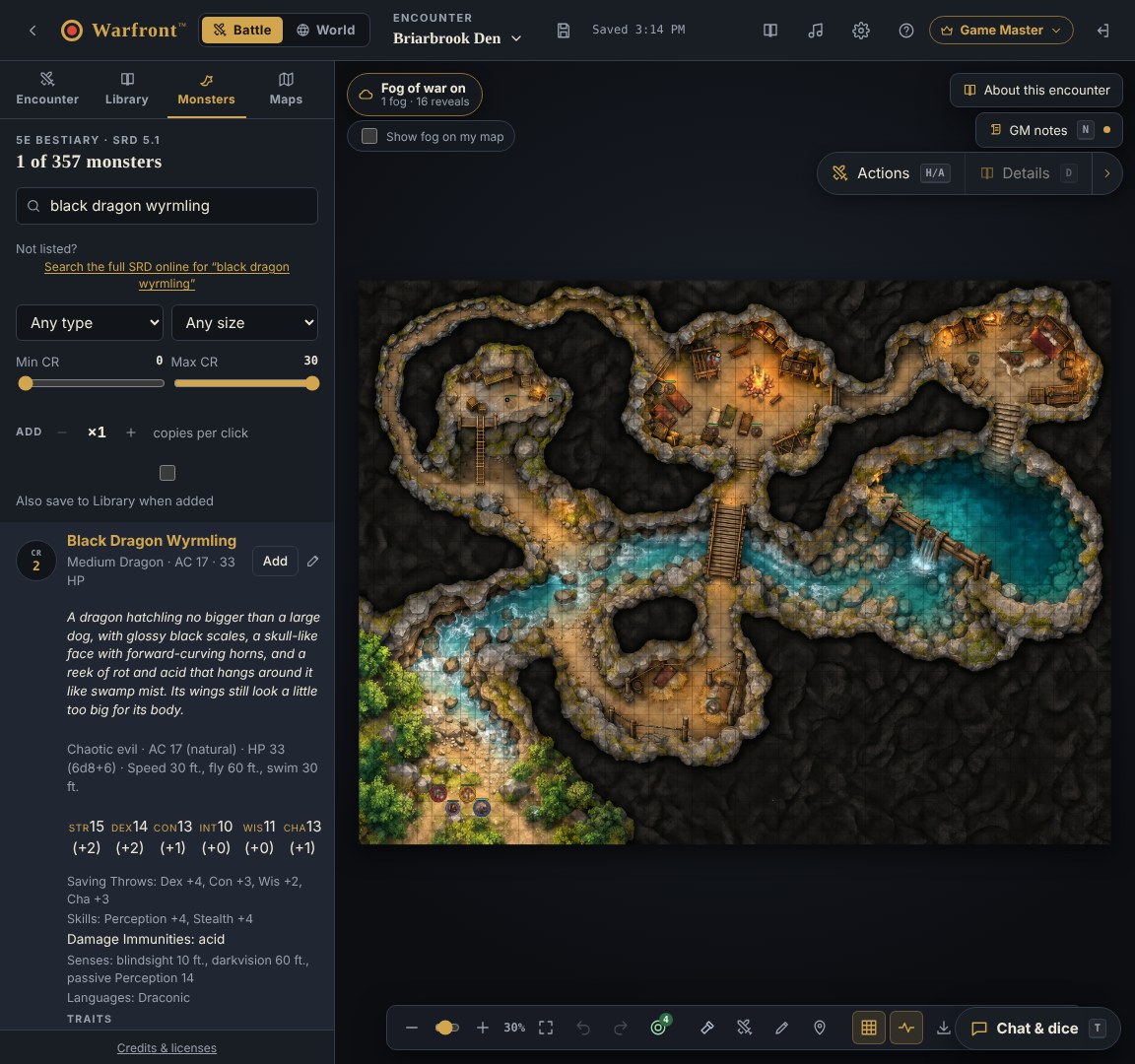
A monster library at your fingertips
Search by type, size and challenge rating. Full stat blocks and attack rolls are one click away.
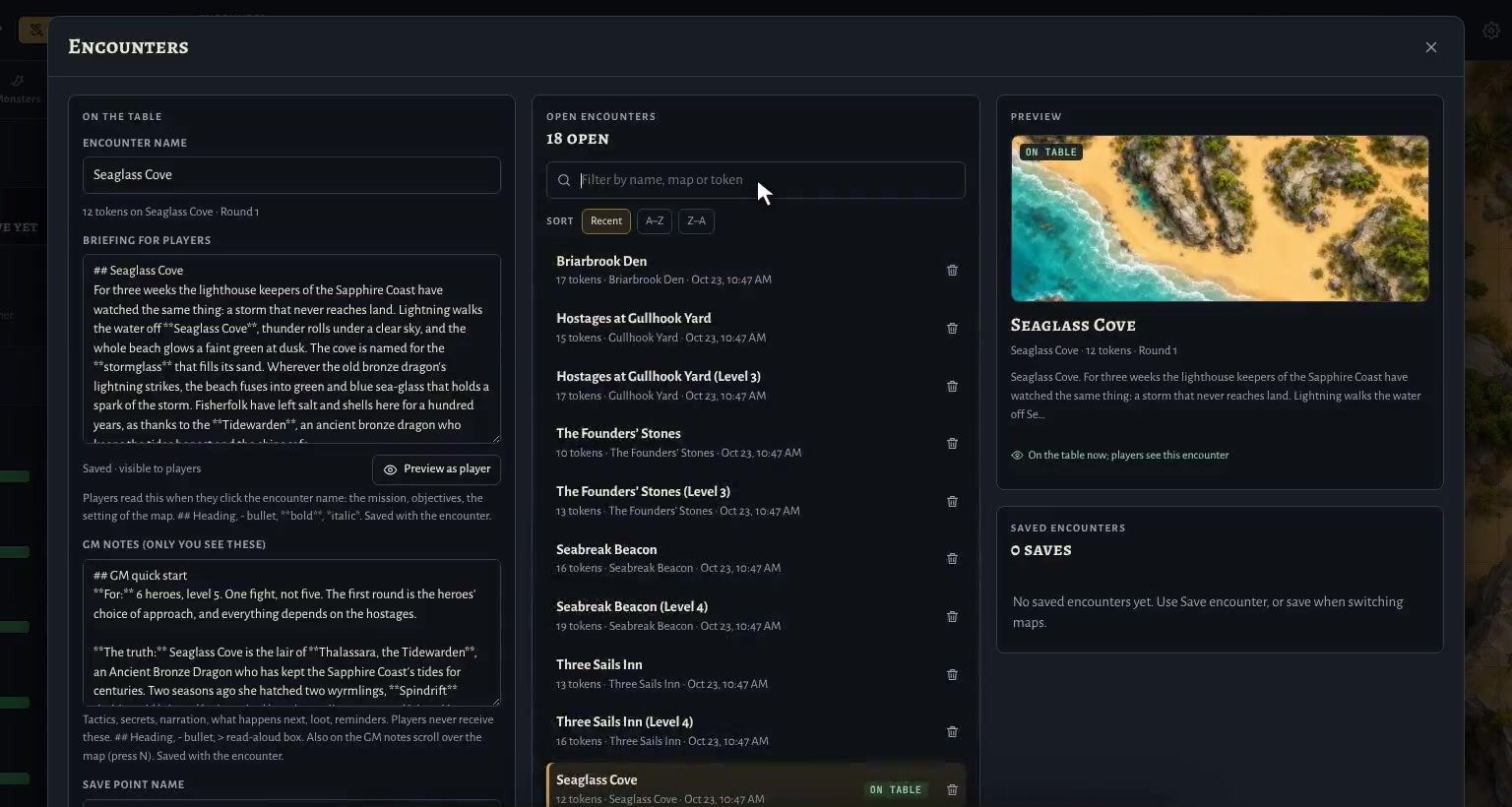
Save points you can load any time
Save an encounter, come back next week, or download it as a file to share with other GMs.
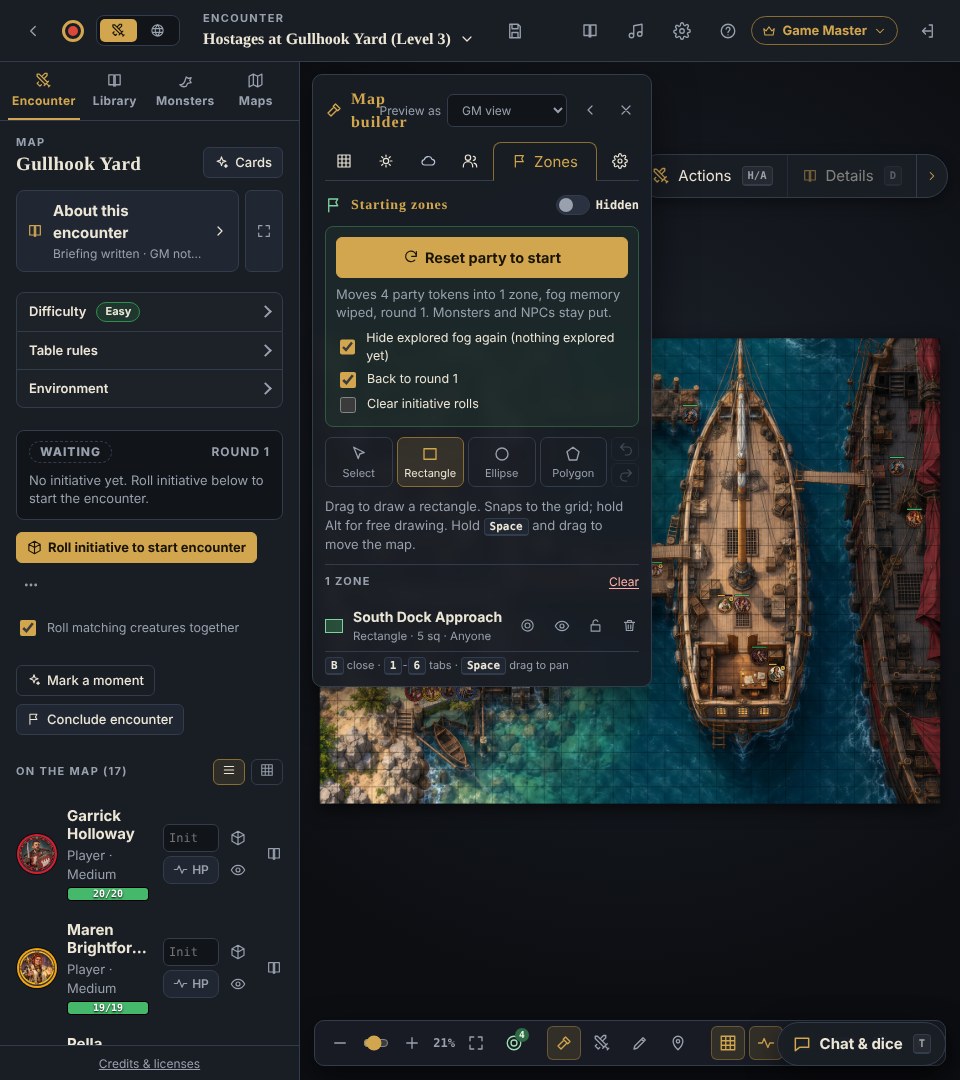
Reset the party in one click
Draw starting zones once, then send every hero back, with fog, round and initiative reset.
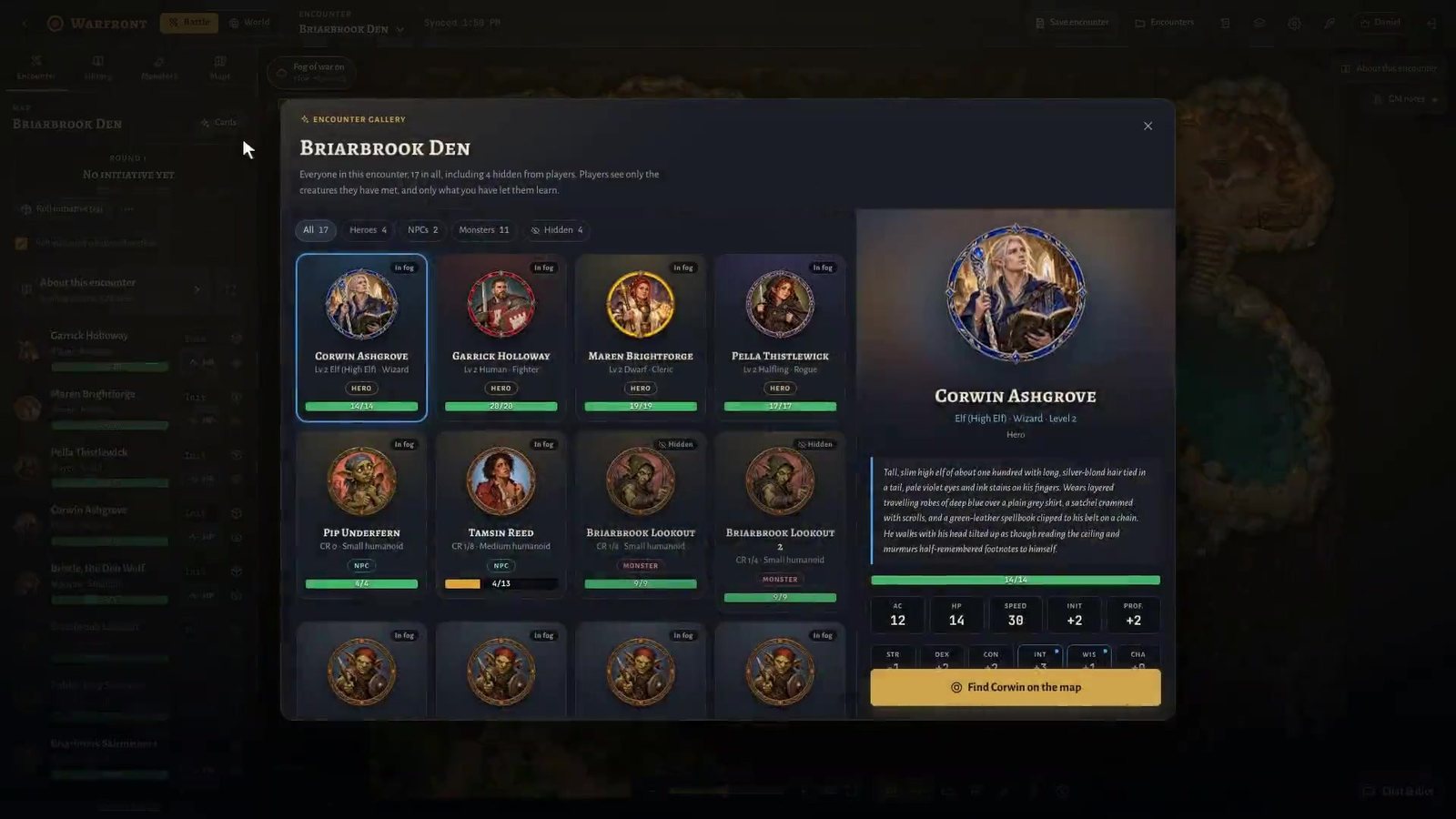
Heroes, NPCs and monsters as cards
Portrait, stats, gear and notes in one card. Jump straight to any token on the map.
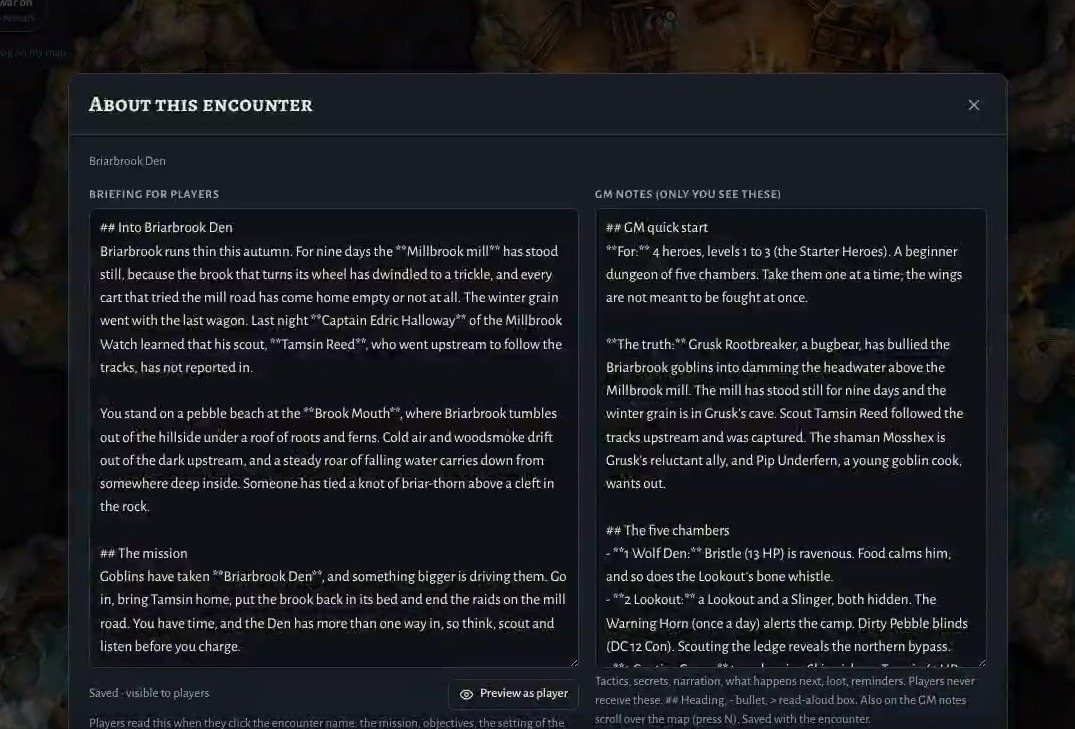
A briefing and GM notes for every fight
Players’ text and your private notes, side by side. Quick start, DCs and rewards are never sent to players.
For your players
Players always join free.
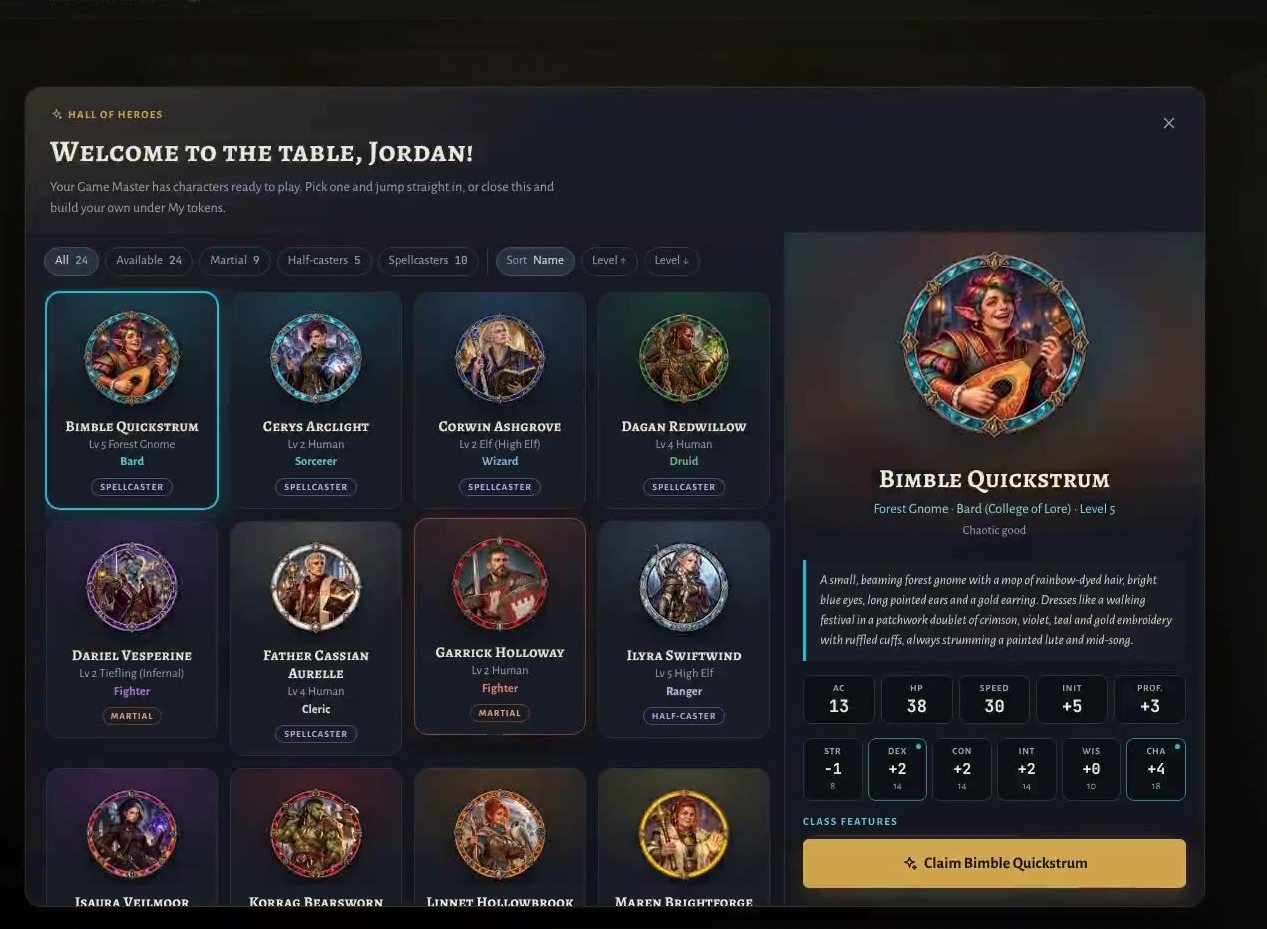
Send one invite link. Your players open it in any browser, pick a hero from the Hall of Heroes you set up (or bring their own) and take a seat. No install and no payment.
- Join as a guest in seconds, or sign in with a free account
- A free account keeps your characters ready for other tables
- Players see only what you choose to show them
“I do like the functionality where the players control themselves. [Another tool] only allows me to show off the maps, but I can’t have them move themselves.”
Chris N. · GM of a weekly 5E group
World View · 5-minute tour
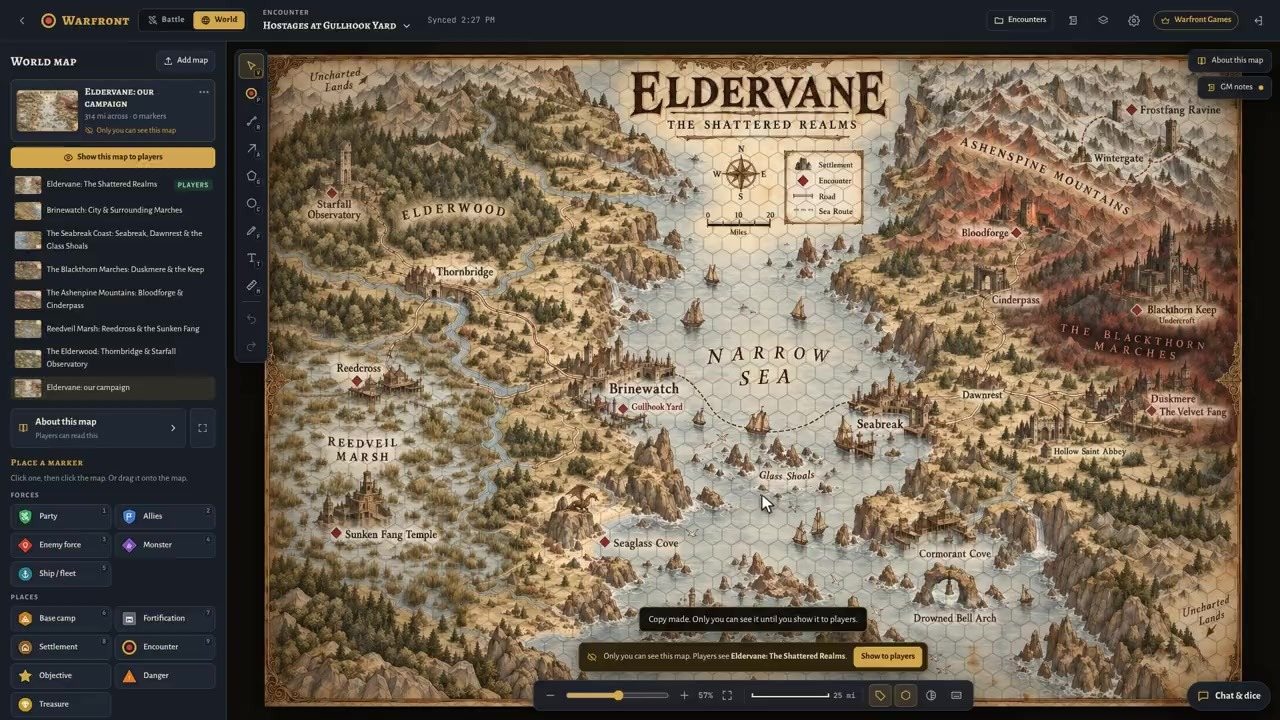
Zoom out from the fight to the whole campaign.
Plan the journey, track your party and jump from a map marker straight into the encounter. Hidden markers and GM notes stay hidden from players.
Jump to a moment
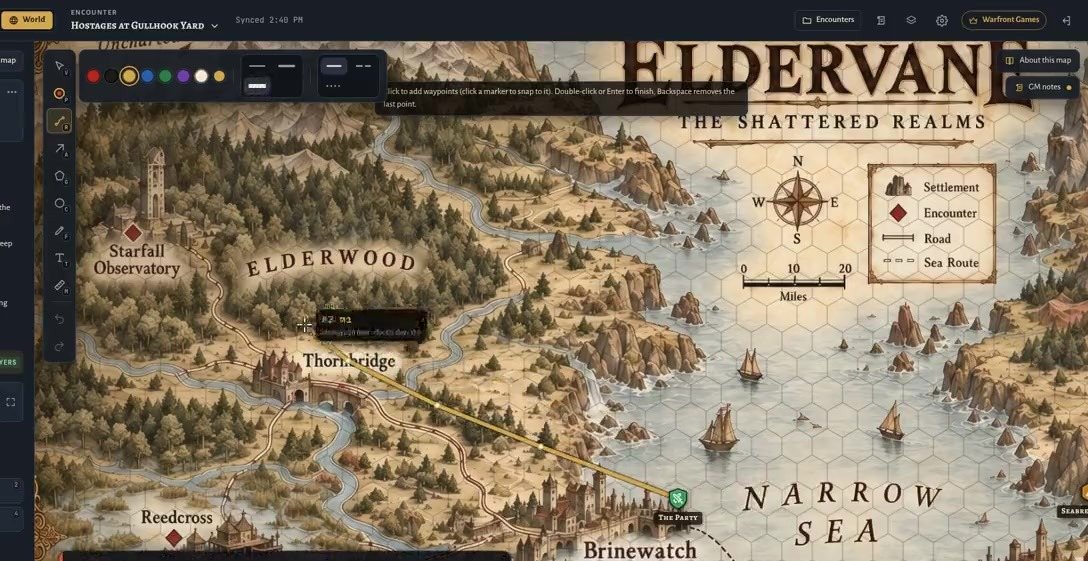
Plot the road, know the days
Every route shows its miles and travel time on foot, by ship or by air.
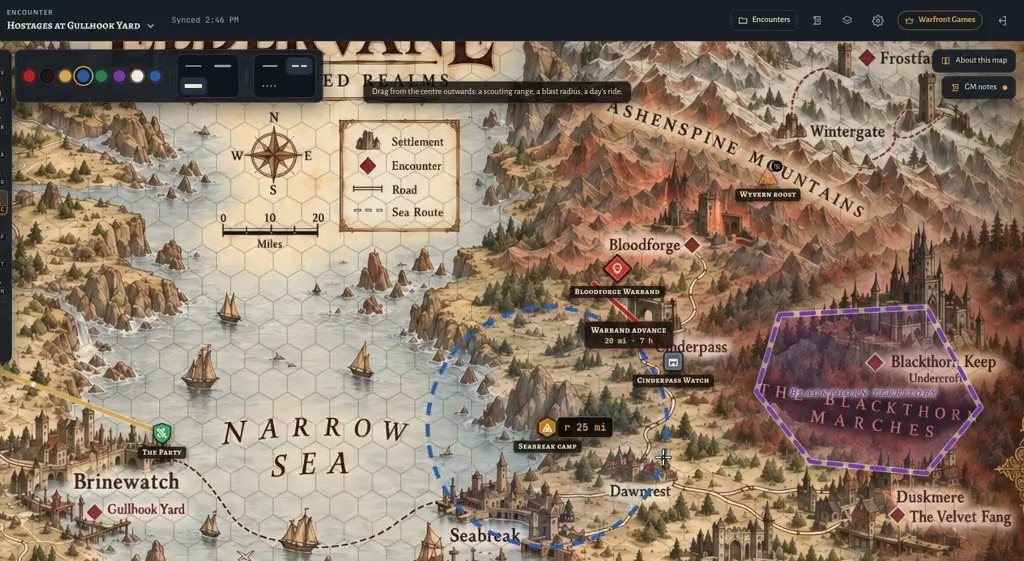
Draw the war across the realm
Arrows, territories and scouting ranges snap to the map scale.
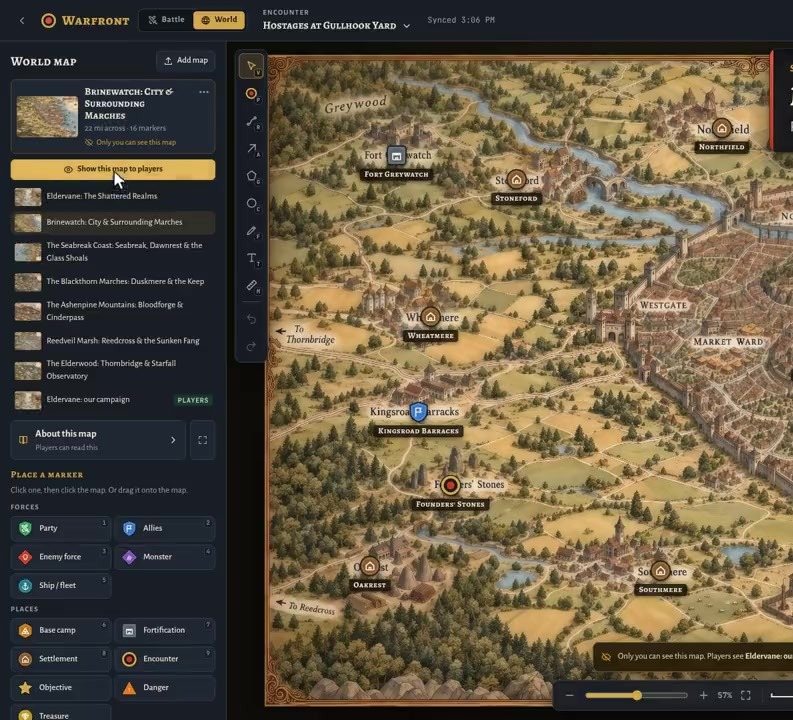
Prepare in secret, reveal on cue
Open any map privately, then show it to the whole table with one click.
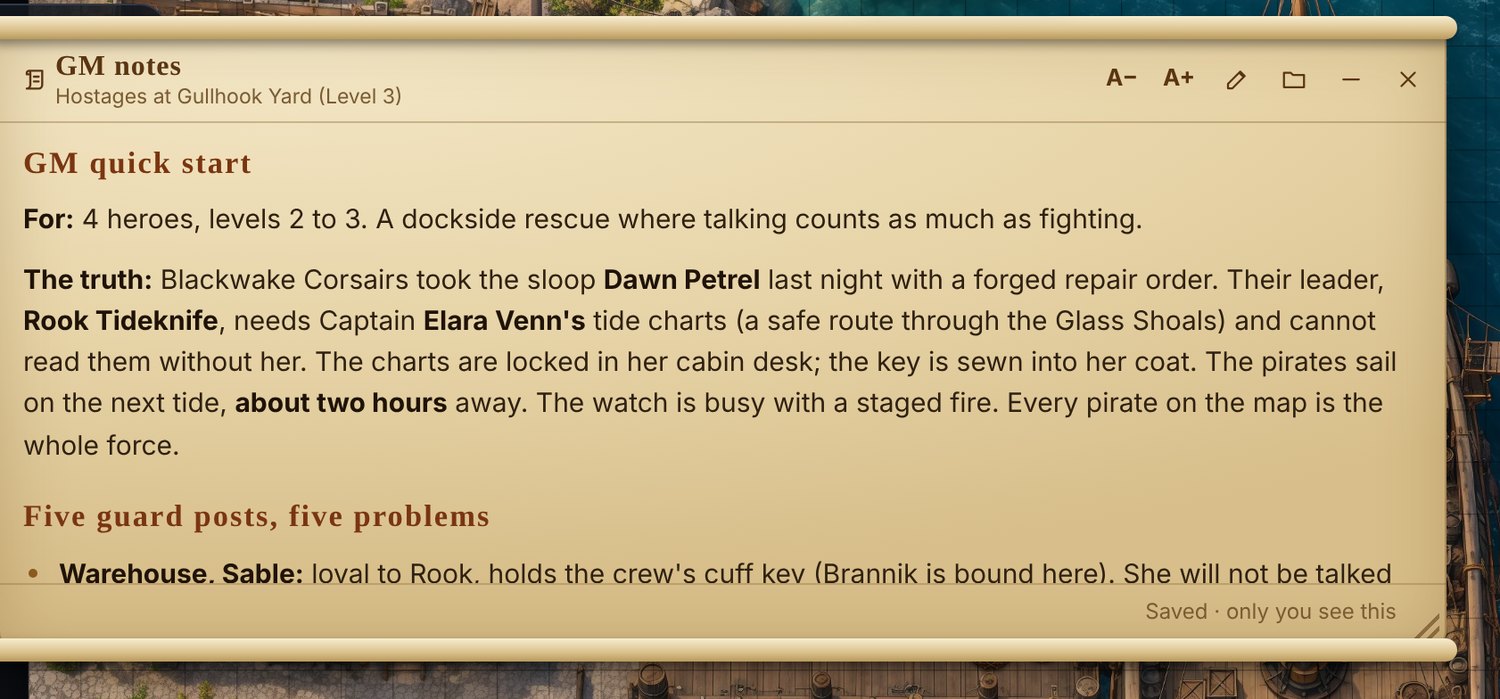
Notes for everyone
Players keep private notes on every map. GM notes and hidden markers never reach them.
World View is shown here with Warfront demo maps. Use your own world maps at your table.
Warlord · New
Make the table feel alive.
Every Combat FX plays on Adventurer. Warlord adds the show: signature versions of every effect, cinematic kills and critical hits, lingering condition auras and hero signatures, plus music and a Journal that turns every session into a chapter.
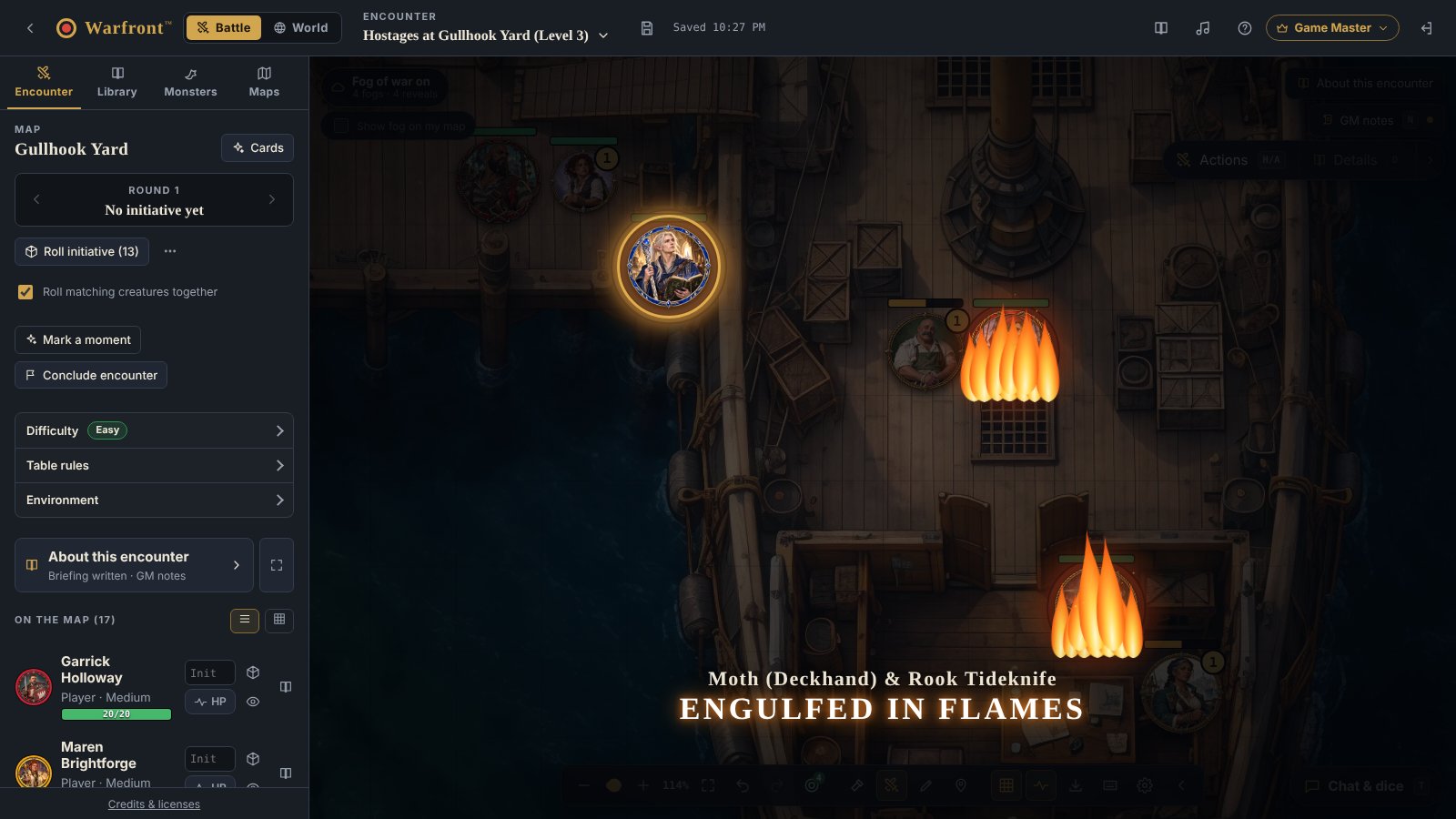
Signature Combat FX
All 46 effects play on Adventurer, matched to your attacks, spells and conditions. Warlord gives each one a richer signature version, ripples spells through every target, and gives a killing blow or a critical hit its own cinematic moment.
Auras and hero signatures
A poisoned token keeps bubbling, a burning one keeps its embers, for as long as the condition lasts. Each hero can carry a signature flourish of their own, and Warlord areas get signature looks.
Music and ambience
Twenty licensed tracks, fifteen ambient sounds and one-click scenes. Upload your own music too.
Campaign Journal and Storybook
Notes that outlive every encounter, told as a parchment book with pictures that your players can reread.
A tool, not a content store
Your maps. Your tokens. Your rules.
Warfront does not tell you what to run. Start empty, bring what you already own and choose the edition for each table.
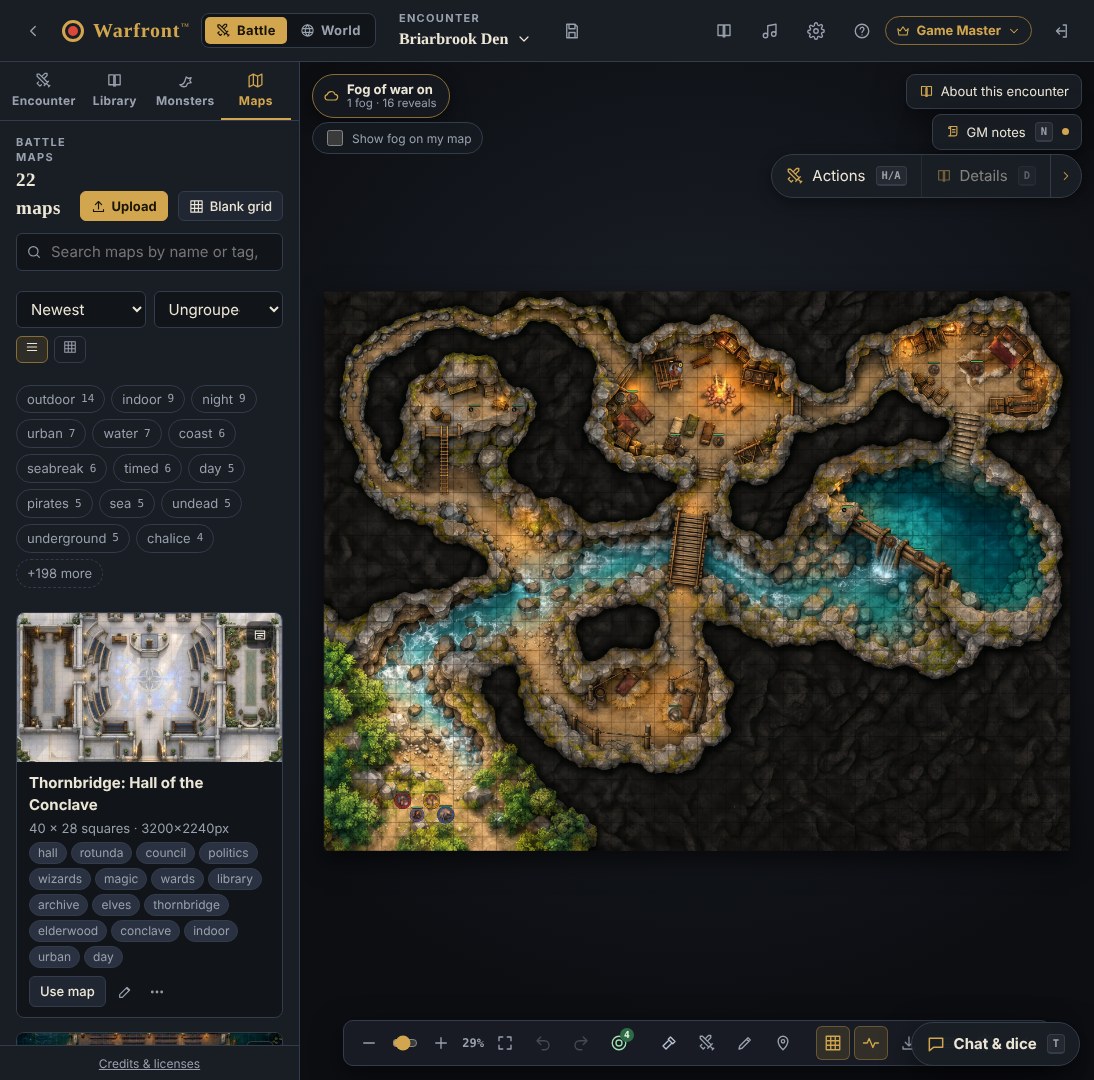
Bring your own maps and art
Upload your battle maps, world maps and token art. Tag them, search them and reuse them across encounters.
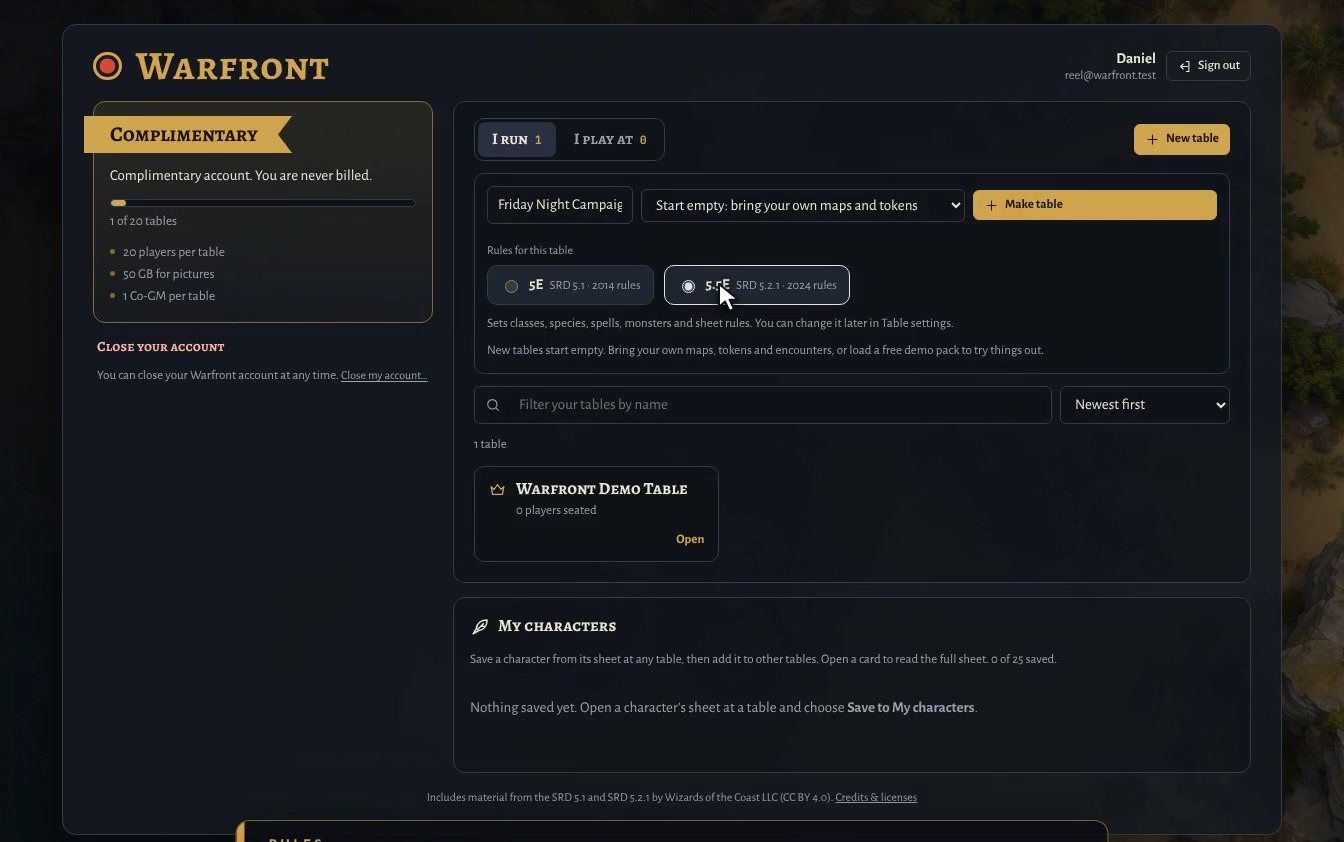
Pick 5E or 5.5E for every table
SRD 5.1 (2014) or SRD 5.2.1 (2024) rules. Change it any time in table settings.
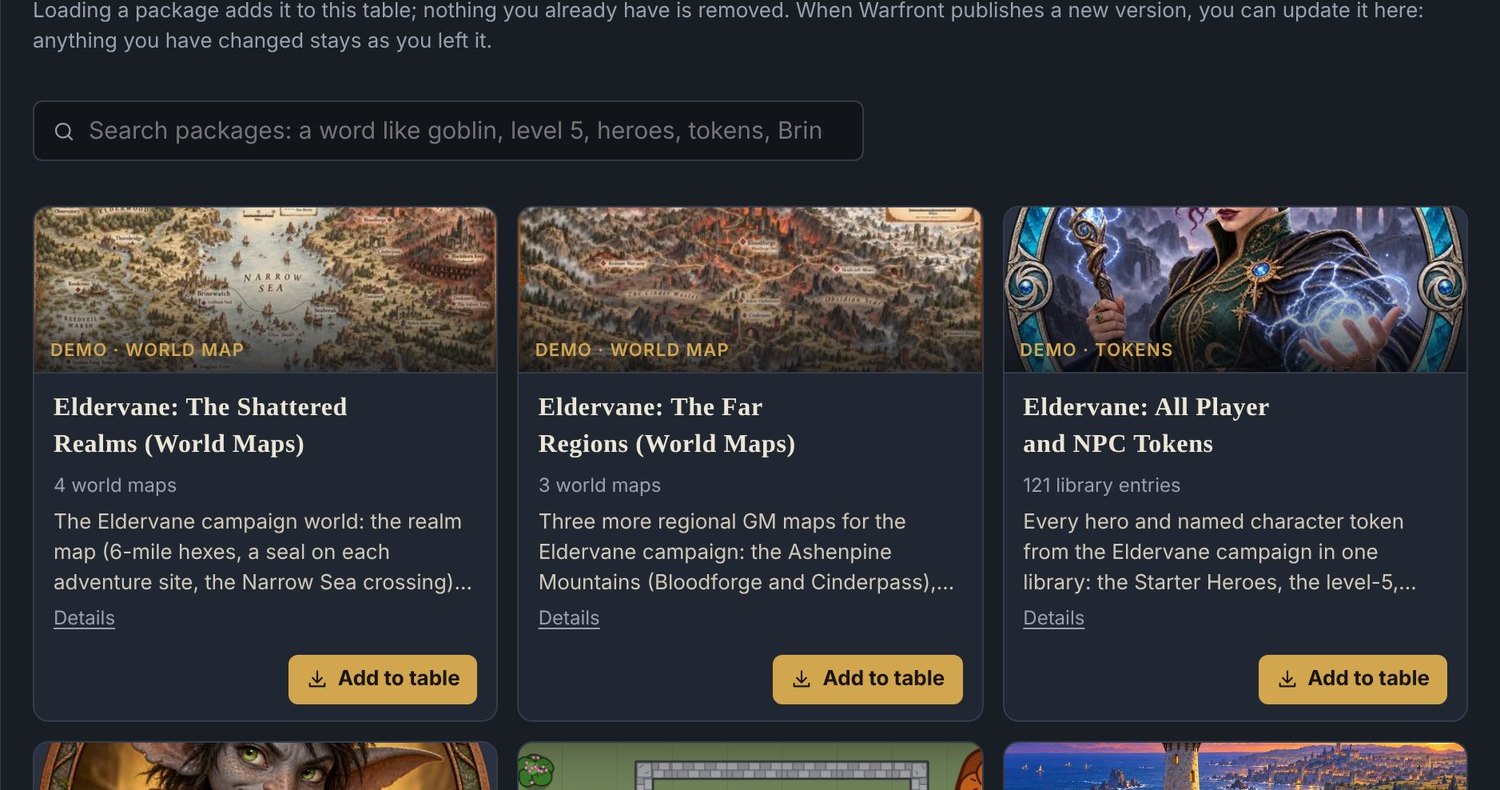
Try it with free demo content
Made by Warfront to show off the features. Load it to explore, edit it for play or delete it. Your table, your content.
Pricing
Game Masters subscribe. Players never pay.
Every GM plan starts with a 14-day free trial, no card required.
Player
Free
Always
Join any table from a link. An optional free account saves your characters for use at other tables.
Adventurer
$4.99
per month, or $49.99 per year (two months free)
Founder price50% off your first 2 payments: pay $2.50 a month for 2 months and save about $5. After that, $4.99.
Everything a Game Master needs to run tables for a regular group, with all 46 Combat FX matched to your attacks, spells and conditions, plus a taste of Warlord signature moments, music and the Storybook.
Warlord
$7.99
per month, or $79.99 per year (two months free)
Founder price50% off your first 2 payments: pay $4.00 a month for 2 months and save about $8. After that, $7.99.
The full show: signature Combat FX and cinematic moments, lingering auras and hero signatures, music and ambience, the Storybook Journal, the encounter simulator, a Co-GM seat and the most room to grow.
Every Game Master plan starts with a 14-day free trial, no card required. Players always join free.
Questions Game Masters ask.
How does dynamic lighting work?
You draw walls, doors and windows on a battle map, or load the layout that comes with our demo maps, and place lights. Warfront works out what each player can see from their hero’s position, sight and light, and sends them only that. The places they have explored stay on their map. You can preview any player’s view, and you can still use hand-drawn fog on top.
What does Warfront automate, and can I turn it off?
Warfront rolls attacks against AC with advantage, disadvantage, cover and conditions applied and explained, doubles crit damage, and applies typed damage with resistances, temp HP, death saves, massive damage and concentration prompts. It tracks actions, movement and opportunity attacks, prompts for reactions like Shield, runs spell effects and monster turns including Multiattack, legendary and lair actions, and handles saves and damage for areas you place. Effects that need a ruling are suggested for you to confirm. Switches in Combat helpers turn rules off or down to reminders, and you can adjust every result before it applies.
How does the encounter difficulty guide work?
Warfront compares your heroes with the monsters on the map and shows Easy, Medium, Hard or Deadly, using the 2014 or the 2024 guide. On Warlord you can also press Simulate this fight to play the encounter out hundreds of times and see how often the party wins. Only the Game Master sees it. It is a guide, not a promise.
How does the free trial work?
Every Game Master account starts with a 14-day free trial and no card is needed. When the 14 days are up, you pick Adventurer or Warlord to keep running tables. Players always join free.
Do my players need to pay or sign up?
No. Players always join free from your invite link. They can join as a guest, or create a free account to save characters and use them at other tables.
Which rules does Warfront support?
5E (SRD 5.1, 2014) and 5.5E (SRD 5.2.1, 2024). You pick the edition for each table and can change it any time.
What does the Warlord plan add?
Warlord adds the show on top of the full battle table. Adventurer already plays all 46 Combat FX, matched to your attacks, spells and conditions. Warlord gives each effect a signature version, adds cinematic moments for kills and critical hits, lingering condition auras, hero signatures and signature area looks, then table music and ambience with your own uploads, the Storybook look for your Campaign Journal, the encounter simulator, one Co-GM per table and more room for tables, players, storage and backups. Free trial and Adventurer Game Masters get a taste of the signature moments and one music scene. Players never pay.
Which plan includes Combat FX?
Every paid plan. Adventurer plays all 46 combat and condition effects and matches them to attacks, spells, heals, kills and conditions, so the table reacts to the rules. The free trial plays seven preview effects. Warlord adds signature effects and cinematic moments on top. Players always see and hear everything the Game Master plays, on any plan.
Do I need to buy a campaign or content pack?
No. Warfront is a tool, not a content store. Bring your own maps, tokens and encounters. Free demo content is included on every plan, 33 demo packs with 34 encounters, 22 battle maps and over 240 tokens, so you can see how everything fits together. Edit it or delete it any time.
Can I use the maps and art I already have?
Yes. Upload your own battle maps, world maps and token art, tag them and reuse them across encounters.
Is Warfront official D&D?
No. Warfront Games LLC is not affiliated with, endorsed, sponsored or approved by Wizards of the Coast LLC. 5E-compatible content uses the System Reference Documents 5.1 and 5.2.1 under CC-BY-4.0.
Try the demo
A ready-made fight in your browser. No account. About a minute.
Free for 14 days
Start your free trial today.
Create your account, load a map and run your first encounter. No card required, and your players always join free.
Already have an account? Sign in.